Need help?
Do you have a question about the Myria MG7401 and is the answer not in the manual?
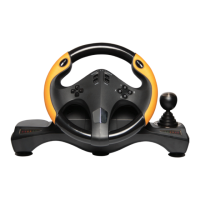
Overview of the MG7401 steering wheel, designed for PC racing games.
Details on compatibility, button count, steering angle, connectivity, and physical attributes.
Visual guide to the placement of D-Pad, function keys, and indicator LEDs on the steering wheel.
Mapping of steering wheel buttons to PC inputs (X-INPUT and D-INPUT modes).
Guide on how to set, clear, and manage custom key mappings for the steering wheel.
How to adjust the steering wheel's sensitivity through three different levels.
Instructions for switching between X-INPUT and D-INPUT modes via the MODE button.
Steps for installing the steering wheel drivers from the provided CD on Windows Vista/7/8/10.
Instructions for testing steering, buttons, D-pad, calibration, and vibration feedback.
Solutions for common problems like non-functional wheel, vibration issues, and weak feedback.
Safety guidelines for handling the steering wheel's axis to prevent damage.
Description of the foot pedal operations for acceleration and braking.
 General
| Connection | Wired |
|---|---|
| Controller Type | Gamepad |
| Buttons | 12 |
| Vibration Feedback | Yes |
| Color | Black |
| Compatibility | PC |

 To Next Page