
 Need help?
Do you have a question about the Myria MY2118 and is the answer not in the manual?
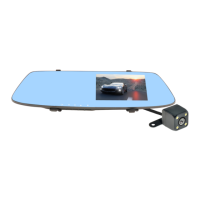
Attach the device to your rear view mirror with included mounts. Connect the USB charger to the device and car's cigar lighter, ensuring wires do not obstruct the driver's view.
Insert a microSD card into the Card Slot before using the device for the first time.
Device automatically enters recording mode upon power-up or USB connection. A red symbol indicates recording. Press OK to stop/start recording.
Access Recording Menu to adjust Resolution, Cyclic Record, Motion Detection, and Gravity Sensing. Use navigation buttons and OK to select.
Records video files in 1, 2, or 3-minute lengths. Overwrites oldest files when SD card is full, except locked files.
Detects motion when vehicle is stationary and records short video files (approx. 20s). Turn off before driving.
Automatically saves and locks the current file during a collision, naming it with 'SOS' prefix.
Configure Date/Time, Gravity Sensing, Auto Power Off, Language, and other device settings.
Enter Photo Mode to take pictures. Access Photo Menu for Resolution, Quality, White Balance, and Exposure settings.
Scroll through recorded files using Up/Down buttons and press OK to play or pause.
Access Playback Menu to delete, lock, or unlock recorded files.
Delete current or all files. Locked files (SOS) are not deleted unless unlocked first.
Protect important files from being overwritten by locking them. Unlock files to allow deletion or overwriting.
USB mode is for charging only. AV IN is for connecting the back camera.
Format SD card (4GB-64GB, Class 10 recommended) to prevent errors. Deletes all files, including protected ones.
Restore factory settings by pressing the reset hole with a pin. Disconnect power first.
Appliance can be used by children (8+) and persons with reduced capabilities under supervision. Children must not play with it.
Dispose of electronic equipment separately from household waste at a community recycling center.
Complies with European safety directives. RoHS compliant, free from hazardous materials.
 General
| Product Type | Rearview Mirror Monitor |
|---|---|
| Viewing Angle | 170 degrees |
| Memory Card Type | MicroSD |
| Compatibility | Universal |
| Mounting Type | Clip-on |
| Resolution | 480 x 272 pixels |
| Material | Plastic |
| Adjustability | Adjustable |
| Display Size | 4.3 inch |

 To Next Page