EasyManua.ls Logo

MyTrendyPhone SWM 160C - User Manual

MyTrendyPhone SWM 160C
4 pages
Print Icon
To Next Page IconTo Next Page
Loading...
User Manual for Bluetooth Car Stereo
with CarPlay / Android Auto SWM 160C
Question and Answer IconNeed help?

Do you have a question about the MyTrendyPhone SWM 160C and is the answer not in the manual?

Summary

Specifications and Connections

Device Specifications

Details the model, power, voltage, Bluetooth version, screen, system, radio frequency, audio/video formats, and languages.

Rear Panel Ports Identification

Identifies key physical connections on the rear of the car stereo unit, including inputs and outputs.

Installation and Connectivity

Pre-installation Testing

Instructions for testing the car stereo with the car battery before permanent installation.

Steering Wheel Control Setup

Guides on wiring and learning methods for integrating steering wheel controls with the car stereo.

Smartphone Integration (CarPlay;Android Auto;Mirrorlink)

Explains wired and wireless setup for Apple CarPlay, Android Auto, and Mirrorlink features.

Remote Control Functions

Remote Control Button Layout

Diagram and list of all buttons on the remote control and their primary functions.

Overview

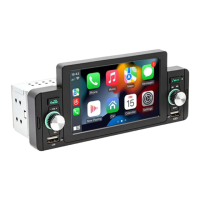
This document describes the SWM 160C Bluetooth Car Stereo, a versatile in-car entertainment system featuring CarPlay and Android Auto compatibility.

Function Description

The SWM 160C is designed to enhance the in-car audio and visual experience, offering a range of connectivity and playback options. Its primary functions include:

  • Audio Playback: Supports various audio formats including MP3, WMA, ACC, APE, OGG, M4A, RA, and WAV.
  • Video Playback: Capable of playing H264, H265, DIVX HD (720p, 1080p), AVI, FLV, MKV, RMVB, MP4, WMV9, VC, ASF, TS, and QT video formats.
  • Image Display: Supports JPEG, PNG, BMP, GIF, and TIFF image formats.
  • Radio Tuner: Features an FM radio with a frequency range of 87.5-108.0MHz.
  • Bluetooth Connectivity: Version 5.1 Bluetooth (default name: Carkit) for wireless audio streaming and hands-free calling.
  • CarPlay Integration: Supports both wired and wireless Apple CarPlay for seamless iPhone integration, allowing access to navigation, music, messages, and more.
  • Android Auto Integration: Supports both wired and wireless Android Auto for Android phone integration, providing access to similar features. Requires Android Auto app installation and Android 6.0 or newer.
  • Mirrorlink Functionality:
    • iOS Phone: Projects iPhone screen content to the car stereo screen with synchronized sound. Control remains on the iPhone.
    • Android Phone: Mirrors Android phone screen content. Requires Mirrorlink software installation. Allows control from both the car stereo screen and the phone screen. Sound transmission requires Bluetooth connection.
  • Steering Wheel Control: Allows integration with the vehicle's existing steering wheel controls for convenient operation.
  • Rear Camera Input: Dedicated input for a reversing camera, enhancing safety during parking.
  • External Microphone Input: For improved voice clarity during calls or voice commands.
  • USB Connectivity: Front USB input for media playback and charging, and a rear USB port for playback.

Important Technical Specifications

  • Model: SWM 160C
  • Power Output: 60W x 4
  • Voltage: DC 12/14.4V
  • Bluetooth Version: 5.1 (Carkit)
  • Screen: 5 inches, 800x400p resolution
  • System: Allwinner melis system
  • Radio Frequency: FM 87.5-108.0MHz
  • Audio Formats: MP3 / WMA / ACC / APE / OGG / M4A / RA / WAV
  • Video Formats: H264 / H265 / DIVX HD (720p, 1080p) / AVI / FLV / MKV / RMVB / MP4 / WMV9 / VC / ASF / TS / QT
  • Image Formats: JPEG / PNG / BMP / GIF / TIFF
  • Languages: English, Chinese, Spanish, Portuguese, Russian, German, French, Polish, Turkish, Arabic, Hebrew, Italian, Czech, Japanese
  • Factory Password: 113266
  • Remote Control Battery: 2 x AAA (not included)
  • Inner Dimensions: 178 x 52 x 50 mm
  • Shell Dimensions: 188 x 82 mm

Usage Features

The SWM 160C offers intuitive usage through its touchscreen interface and remote control.

  • Connectivity: Multiple input/output options including USB, audio outputs (left and right), video outputs (1 and 2), CVBS input, rear camera video input, and a radio antenna.
  • Remote Control: A comprehensive remote control allows for various functions:
    • Mute On/Off
    • Mode selection
    • Power On/Off
    • Volume up/down
    • Enter/Play/Pause
    • Next/Previous track
    • End/Answer call
    • Menu access
    • Number buttons for direct input.
  • Steering Wheel Control Learning: The device supports a learning method for integrating with existing steering wheel controls. Users can assign functions by pressing and holding a button on the steering wheel and then selecting the desired function on the car stereo's screen. A reset option is available for re-learning.
  • CarPlay/Android Auto Connection:
    • Wired: Simply connect a USB cable to automatically enter the respective interface.
    • Wireless: Turn on Bluetooth and WiFi on the phone, connect Bluetooth, and the stereo will enter the interface. Note that the signal is transmitted via WiFi, even if Bluetooth is turned off. Disconnecting WiFi will disconnect CarPlay/Android Auto.
  • Mirrorlink Operation:
    • iOS: Plug in the iPhone via USB to mirror the screen and synchronize sound. Control remains on the iPhone.
    • Android: Connect via USB. If Mirrorlink software is not installed, a prompt will appear. After installation, reconnect to enter mirroring mode. Control is possible from both the stereo and phone screens. Sound transmission requires a separate Bluetooth connection.

Maintenance Features

  • Pre-installation Test: It is recommended to test the car stereo before full installation. Connect the red and yellow wires to the positive pole of the car battery and the black wire to the negative pole. Wait approximately 10 seconds to ensure normal boot-up. This helps confirm functionality before permanent installation.
  • Fuse Protection: Equipped with a fuse (1) for electrical protection.
  • Language Support: The device supports a wide range of languages, allowing users to select their preferred interface language.
  • Factory Password: A factory password (113266) is provided, likely for advanced settings or troubleshooting.
  • Remote Control Battery: The remote control uses 2 x AAA batteries (not included), which are easily replaceable.

MyTrendyPhone SWM 160C Specifications

General IconGeneral
BrandMyTrendyPhone
ModelSWM 160C
CategoryCar Stereo System
LanguageEnglish