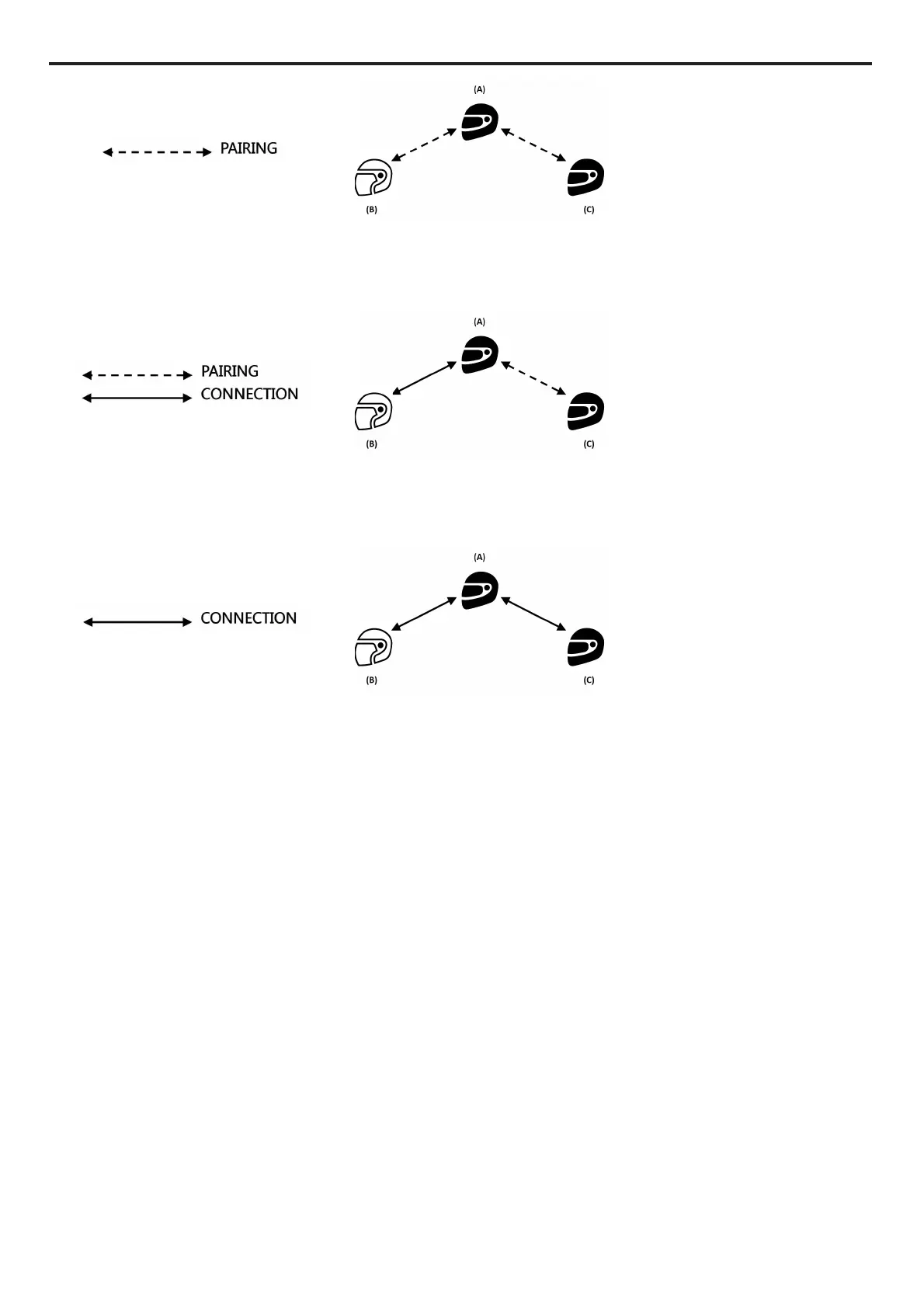
2. System A has to initiate the first intercom connection with system B (Universal Intercom), by
pressing the relative intercom connection command.
3. At this point, system C can join the intercom conference call, establishing an intercom
connection with system A.
4. The three systems are now in intercom conference call mode and can talk to each other at
the same time.
5. In case you wish to add another system (D), the latter must be paired up beforehand to
system C. Press the relative connection command to start a 4-participant intercom
conference call.
Note: The “
Universal Conference
” mode can also be used by connecting only “900” series N-Com
systems”.
Note: The “
Universal Conference
” mode can also be used by connecting “900” series N-Com systems
with other N- Com devices (B601, B5, B1.4, etc.).



 To Next Page