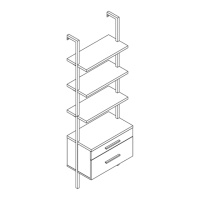
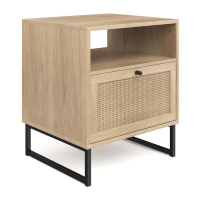
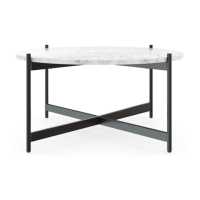
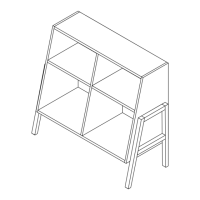
The Kalos Desk (model 20-0416) is a stylish and functional piece of furniture designed for home or office use, offering a clean aesthetic and practical features. This desk is intended for easy assembly and long-term use, with a focus on user safety and product longevity.
Function Description:
The Kalos Desk serves as a versatile work surface, suitable for various tasks such as studying, working on a computer, or engaging in hobbies. Its design incorporates a tabletop and two storage compartments, providing space for organizing essentials and maintaining a clutter-free environment. The desk is supported by a sturdy frame with an "X" leg design, ensuring stability and adding a modern touch to any room.
Important Technical Specifications:
- Model Number: 20-0416
- Estimated Assembly Time: 15 minutes
- Weight Limitation: 120 lbs tabletop
- Included Components:
- A: Desk top frame (1 unit)
- B: Middle panel (1 unit)
- C: Left leg frame (1 unit)
- D: Right leg frame (1 unit)
- E: Crossbar (1 unit)
- Hardware:
- 1: Short Bolt M6x25mm (6 units)
- 2: Medium Bolt M6x70mm (4 units)
- 3: Long Bolt M6x110mm (2 units)
- 4: Wood Dowel Φ8x25mm (4 units)
- 5: Allen Wrench (1 unit)
- 6: Nut (4 units)
- Materials: The desk is constructed with components designed for durability, including wood dowels and various bolts for secure fastening. The specific wood type is not detailed but is implied to be a material requiring proper care as outlined in the maintenance section.
Usage Features:
- Easy Assembly: The desk is designed for quick and straightforward assembly, with an estimated time of just 15 minutes. The instructions emphasize simplicity, allowing users to complete the setup efficiently.
- Hand Tool Assembly: Users are advised to use only hand tools (an Allen wrench is provided) for assembly. The manual explicitly states "DO NOT USE DRILL" and warns against over-tightening screws and bolts to prevent stripping. This ensures the integrity of the components and the longevity of the desk.
- Progressive Tightening: A key assembly feature is the recommendation to initially tighten bolts to 85% until all are lined up and inserted, then securely tighten them all the way to 100%. This method helps ensure proper alignment and prevents damage during the initial setup phase.
- Aesthetic Considerations: During assembly of the "X" legs, users are instructed to face the larger holes outwards for aesthetic reasons, preventing exposed screws and maintaining a clean look.
- Integrated Storage: The desk includes a middle panel and two compartments within the tabletop frame, offering convenient storage for office supplies, books, or personal items.
- Stability: The "X" leg design and crossbar (E) contribute to the overall stability of the desk, ensuring a firm and reliable work surface.
- Weight Capacity: The tabletop has a weight limitation of 120 lbs, making it suitable for common office equipment like monitors, laptops, and various accessories.
- Packaging as Work Surface: The manual suggests using the packaging carton as a working surface during assembly to prevent product damage, a practical feature for protecting the desk components.
Maintenance Features:
- Regular Tightening: To ensure the desk's longevity and safety, users are recommended to tighten the screws two weeks after assembly and then check the tightness of all screws every two months. This proactive maintenance helps prevent loosening over time and maintains structural integrity.
- Proper Wood Care: For proper care and treatment of the wood, users are directed to the Nathan James website (NathanJames.com/products), indicating that the desk's materials may require specific care routines.
- Safety Guidelines: The manual outlines several "DO NOT" instructions for proper use, which also serve as maintenance guidelines:
- DO NOT use for commercial purposes.
- DO NOT put on an uneven floor or surface.
- DO NOT put hot serving liquid directly on the tabletop.
- DO NOT leave spilled liquid on the tabletop.
- DO NOT use the desk if broken or damaged.
- DO NOT exceed the weight limit (120 lbs).
- DO NOT make temporary repairs.
- DO NOT use outdoors.
These guidelines are crucial for preventing damage, ensuring safety, and extending the product's lifespan.
- No Modifications: Users are explicitly warned not to modify the structure of the product in any way. Modifications can create significant safety issues and void the manufacturer's responsibility.
- Lifetime Warranty: The product comes with a lifetime warranty from the date of purchase. Users can register their product via a QR code or a provided URL (https://goo.gl/i9dk3q) to avail this warranty, which covers replacement parts in case of damage or missing components. This warranty feature highlights the manufacturer's confidence in the product's quality and provides long-term support for the user.
- Customer Support: Nathan James offers comprehensive customer support, including a toll-free number (1-866-619-1004) and an email address (help@nathanjames.com) for assistance. They promise free replacement with zero hassle for damaged or missing parts, emphasizing a customer-friendly approach to product maintenance and problem-solving. They also provide a return policy that aims to be hassle-free, offering re-packaging, schedule pick-up, and tracking services.

 Need help?
 General

 To Next Page