EasyManua.ls Logo

NavePoint 1U - User Manual

NavePoint 1U
2 pages
Print Icon
To Next Page IconTo Next Page
Loading...
© 2020 NavePoint, LLC 20200504-01
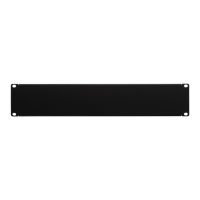
OWNERS MANUAL: Blank Rack Mount Spacer Panel
T
HIS MANUAL APPLIES TO THE FOLLOWING SKUS:
00300266
00300267
00300268
00300611
00300612
00300613
00300614
00300615
00300616
00300617
00300618
00300619
00300620
00300621
00300622
00300623
00301129
00301130
00301131
00301132
00301133
00301134
00301135
00301136
Keep this information for further reference.
Thank you for purchasing a NavePoint product. If you have any questions regarding the installation or use of your product, please call
us at 888.505.1363.
Please examine the product for any damaged parts. If any part is damaged or missing, contact NavePoint for assistance. Do not
attempt to install or use product if it has been damaged.
During installation, lay product contents on cardboard or other protective surface to avoid any damage.
Improper installation or use of this product could result in damage to the product, other equipment, or personal injury. It is
recommended that installation be performed by a qualified installer. NavePoint cannot be held responsible for damage to equipment or
personal injury resulting from improper use or installation of product. If product is intended to store/mount equipment, please ensure the
equipment stored/mounted does not exceed the specified weight capacity.
Limitations of Liability: In no event will NavePoint, LLC. be liable for any damages, whether direct or indirect, special, punitive,
incidental or consequential damages (including, but not limited to, lost profits or revenue, loss of use, lost business opportunities or loss
of goodwill) or for the costs of procuring substitute products, arising out of or in connection with the use of the product, whether such
liability arises from any claim based upon contract, warranty, tort (including negligence), product liability or otherwise, whether or not
seller has been advised of the possibility of such loss or damage. In no event will seller’s total cumulative liability, from
all causes of
action and all theories of liability, exceed the total amounts actually paid to seller by customer under the order that gives rise to any
liability hereunder.
Question and Answer IconNeed help?

Do you have a question about the NavePoint 1U and is the answer not in the manual?

Summary

Hardware Included

Installation Method

Tapped Hole Mounting

Securing the blank panel to the rack using the provided 10-32 mounting screws.

Overview

This document serves as the owner's manual for NavePoint Blank Rack Mount Spacer Panels, providing essential information for their installation and use. These panels are designed to fill unused rack spaces, offering both aesthetic and functional benefits within a rack enclosure.

Function Description

Blank rack mount spacer panels are primarily used to cover empty spaces within a standard 19-inch equipment rack. Their main functions include:

  • Airflow Management: By blocking unused rack openings, these panels help to direct airflow more efficiently through the active equipment. This prevents hot air from recirculating and ensures that cooling air is properly channeled to the devices that need it most, contributing to better thermal management and potentially extending the lifespan of active components.
  • Dust and Debris Prevention: Filling open spaces helps to prevent dust, dirt, and other debris from entering the rack, which can accumulate on sensitive electronic components and lead to malfunctions or overheating.
  • Aesthetic Improvement: Blank panels provide a clean, professional appearance to the rack, concealing unsightly gaps and exposed cabling. This can be particularly important in environments where the rack is visible to clients or visitors.
  • Security: While not their primary function, blank panels can offer a minor deterrent against unauthorized access to the interior of the rack, especially when combined with lockable rack doors.
  • EMI/RFI Shielding: In some cases, blank panels can contribute to maintaining the electromagnetic interference (EMI) and radio frequency interference (RFI) shielding integrity of the rack enclosure, preventing signals from entering or escaping the rack.

The manual illustrates various sizes of these panels, ranging from 1U (one rack unit) to 8U, indicating their versatility to fill different vertical rack space requirements. Each "U" represents 1.75 inches (44.45 mm) of vertical space. The visual representations clearly show the different heights of the panels, from the smallest 1U panel to the largest 8U panel, each designed to fit seamlessly into standard rack environments.

Usage Features

The NavePoint Blank Rack Mount Spacer Panels are designed for straightforward installation into standard 19-inch equipment racks. The primary usage feature highlighted in the manual is the "Tapped Hole Mounting" method.

  • Mounting Hardware: The panels are secured using 10-32 mounting screws. The manual specifies the quantity of screws included for each panel size:
    • 1U panels require 4 screws.
    • 2U panels require 4 screws.
    • 3U panels require 4 screws.
    • 4U panels require 4 screws.
    • 5U panels require 6 screws.
    • 6U panels require 8 screws.
    • 7U panels require 6 screws.
    • 8U panels require 8 screws. This detailed breakdown ensures that users have the correct number of fasteners for their specific panel.
  • Installation Process: The installation process is simple, involving the use of the included 10-32 screws to attach the blank panel to the rack rails. The diagram clearly depicts how the screws pass through the panel's mounting holes and into the tapped holes of the rack's vertical rails. This method is common for rack accessories and ensures a secure fit.
  • Compatibility: The panels are designed to be compatible with racks that feature tapped holes, which are threaded holes directly in the rack rail. This is a common type of rack rail, making these panels widely applicable.
  • Pre-Installation Check: The manual emphasizes the importance of examining the product for any damaged or missing parts before installation. This step is crucial to prevent issues during setup and to ensure the integrity of the installed panel. If damage is found, users are instructed to contact NavePoint for assistance and to avoid attempting installation with damaged components.
  • Surface Protection: Users are advised to lay product contents on cardboard or another protective surface during installation. This simple step helps prevent damage to the product itself and to the work area, maintaining the aesthetic quality of the panels.
  • Professional Installation Recommendation: While the installation appears straightforward, the manual recommends that installation be performed by a qualified installer. This suggestion underscores the potential for improper installation to lead to damage to the product, other equipment, or even personal injury. NavePoint explicitly states that it cannot be held responsible for such damages resulting from improper use or installation.
  • Weight Capacity Consideration: Although these are blank panels, the manual includes a general caution regarding equipment weight capacity. If the product were to be used in conjunction with other equipment that stores or mounts devices, users should ensure that the combined weight does not exceed the specified weight capacity of the rack or the panel itself. This is a general safety guideline applicable to all rack installations.

Maintenance Features

The NavePoint Blank Rack Mount Spacer Panels are passive components and generally require minimal maintenance. The manual does not detail specific maintenance procedures for the panels themselves, which is typical for such products. However, general maintenance considerations can be inferred from the provided information and the nature of the product:

  • Durability and Longevity: The panels are designed to be robust and durable, intended for long-term use within a rack environment. Their passive nature means they have no moving parts or electronic components that would typically require regular servicing.
  • Cleaning: As part of general rack maintenance, the panels can be wiped down with a soft, damp cloth to remove dust and keep them clean. This contributes to maintaining the professional appearance of the rack and preventing dust accumulation that could affect active equipment.
  • Inspection: Periodically, users may want to inspect the panels to ensure they remain securely fastened and free from any physical damage. Loose screws can be tightened, and any signs of wear or damage can be addressed to maintain the panel's functionality in airflow management and aesthetics.
  • Damage Prevention: The pre-installation check for damage and the recommendation to use a protective surface during installation are preventative measures that contribute to the long-term maintenance of the product's condition. By ensuring the panel is installed correctly and without initial damage, its lifespan and effectiveness are maximized.
  • No Specific Servicing: Given their simple design and function, these blank panels do not require any specific servicing, lubrication, or part replacement. Their maintenance is primarily about keeping them clean and ensuring they remain properly installed.

In summary, the NavePoint Blank Rack Mount Spacer Panels are essential accessories for optimizing rack environments. They are easy to install, durable, and contribute significantly to airflow management, dust control, and the overall professional appearance of an equipment rack. The manual provides clear guidance for safe and effective installation, emphasizing the importance of proper handling and professional installation where appropriate.

NavePoint 1U Specifications

General IconGeneral
Rack Units1U
MaterialSteel
Weight Capacity50 lbs
ColorBlack
Product TypeRack Shelf
Load Capacity50 lbs
Compatibility19" racks

Related product manuals