~"7"~"
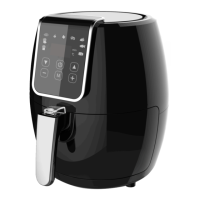
1. When the air fryer is plugged in, the “Power” icon will blink, and the unit
will stay in standby mode before any button is pressed.
2. Press and Hold the “Power” icon for 3 seconds, and the control panel will
unlock. You can either select a Quick menu using the “M” icon or
manually set the Temperature and then the Time.
3. Press the “Power” icon to start/cancel.
4. When the cooking cycle is complete, the unit will shut down and beep 5
times for confirmation (only the “Power” icon is displayed on the control
panel).
5. After cooking has finished, pull the pan out of the air fryer and place it on
a heat-resistant surface. Press the basket release button and lift the
basket out of the pan. Carefully pour the ingredients out of the basket
onto plate.
Cooking with Quick Menus
Keep pressing the “M” icon to scroll through the 6 quick menus on the control
panel (Including: Frozen fries, Chops, Steak, Chicken, Shrimp, Fish).


 To Next Page