7
2. Open the Nedis Smartlife app on your phone.
3. Create an account with your e-mail address and tap Continue.
4
You will receive a verication code on your e-mail address.
4. Enter the received verication code.
5. Create a password and tap Done.
6. Tap Add Home to create a SmartLife Home.
7. Set your location, choose the rooms you want to connect with and tap Done.
Connecting the app
1. Make sure Bluetooth is enabled on your smartphone.
2. Open the Nedis Smartlife app on your phone.
3. Register or login to your account.
4. Tap + in the top right corner.
5. Select “Smartwatch”
6. Follow the instructions in the app.
Switching on the product
Press and hold the function button A
5
for 3 seconds.
4
Do not t the watch too loose or tight for the sensors to work correctly.
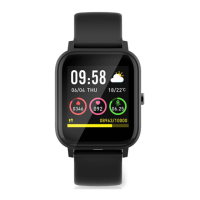
Navigating the home screen (image B)
1 Current time
2 Current date and day
3 Calories burned today
4 Last measured heartrate
5 Current weather
6 Environmental temperature
7 Distance traveled today
8 Steps taken today
The home screen is the starting point from where you gain access to other
functions of the smartwatch.
It shows the current time, date and other information.
Hold the home screen to change it. There are 6 dierent layouts to choose from.


 To Next Page