6
Explanation of the safety symbols on the
product
Icon Description
To avoid overheating, do not cover the product.
Indication for a hot surface. Contact may cause
burns. Do not touch.
Bathroom zones (image B)
4
Never use the product while taking a shower or bath. This might
cause an electric shock.
Bathroom Shower room Minimum IP
rating
0 The area inside the
bath.
The area inside the
shower basin.
IP67
1 The area is the same
width as zone 0 (the
width of the bath)
extending to 2.25 m
above the nished
oor level.
The area is 2.25 m
from the nished
oor level or the
height of the xed
shower head.
IP65
2 The area is the same
height as zone 1 (2.25
m), extended to 0.6 m
around the bath.
The area is the same
height as zone 1,
extended to 0.6 m
around the shower
basin.
IP44
3 Remaining space Remaining space IP21
Installing the product (image C)
4
Only install the product in zone 3, at least 1.8 m above the
ground .
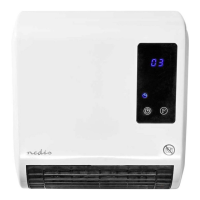
1. Drill holes with a diameter of 8 mm and place the plugs A
e
C.
2. Insert the screws A
w
, let them protrude 6 mm from the wall.
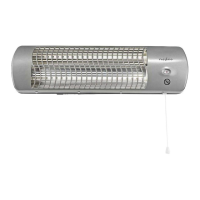
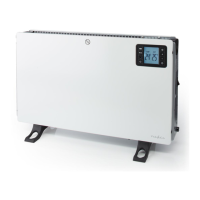
3. Attach the bathroom heater A
9
to the wall.
4. Make sure the product hangs secure.
Inserting the batteries (image D)
1. Open the battery compartment A
g
.
2. Place the battery.
3. Close A
g
.
Setting the time
4
Time is only adjustable by remote control.
1. Press the set button A
y
to display the hour.
2. Press the OK button A
u
to set the current hour.
3. Press A
y
to display the minute.
4. Press A
u
to set the current minute.
5. Press A
y
to display the day of the week.
6. Press A
u
to set the current day.
D1 Monday
D2 Tuesday
D3 Wednesday
D4 Thursday
D5 Friday
D6 Saturday
D7 Sunday
7. Press A
u
to conrm the setting.
Switching on the product
1. Plug the power cable A
r
into a power outlet.
2. Press the power button A
q
to switch on the product.
4
The product is now in standby mode.
4
When you switch on the product it makes a beep and the
display shows a “5” (Standby).
4
When the product is switched on (after a long period of time),
the product may emit some smell and fumes.
3. Press the on/o button A
t
to switch between standby and on.
4
You can control all the functions of the product with the remote
control and a selection of the functions with the buttons on
the display.
4
The display switches on.
Switching between modes
1. Repeatedly press mode button A
8
to switch between:
- Fan
- Half power
- Full power
- Standby
4
If both the half power indicator A
3
and the full power
indicator A
2
are switched on, the product is in full power
mode.
2. Press A
t
again to switch o the product.
4
The fan stops after 30 seconds in standby.
4
The default temperature is 23ºC when the temperature LED
A
5
is switched o.
Setting the temperature
4
Temperature setting is only adjustable by remote control.
4
The display shows the current room temperature when the
product is in standby mode.
4
The default temperature setting is 23°C.
1. Press the temperature up and down buttons A
i
to adjust the
set room temperature.
2. Press A
8
to cancel.
4
After setting the temperature, the heater automatically selects
the required power depending on the temperature dierence;
less than 2°C dierence is half power, more than 2°C dierence
is full power.
4
The product switches o when the room temperature is higher
than the set temperature.
4
The product switches on when the room temperature falls 2ºC
below the set temperature.
Setting the weekly program
4
Setting the weekly program is only possible by remote control.
1. Press the weekly program button A
o
to enter into weekly
program setting.
2. Press the day button A
p
to set the starting day.
3. Press the Edit button A
d
to select a program.
4. Press the timer on button A
f
to set the starting time (only in
hours).
5. Press timer o button A
s
to set the stopping time (only in
hours).
4
The stopping time cannot be earlier than the starting time.
6. Press A
i
to set the temperature.
7. Press A
u
to conrm the setting.
4
There are up to 6 programs available each day of the week.
8. Repeat step 2 to 7 to set another program.
9. Press A
o
to activate the weekly program.
4
The product switches to standby when the program has the
same starting and stopping time.
4
The weekly program is erased when A
q
is switched o.


 To Next Page