6
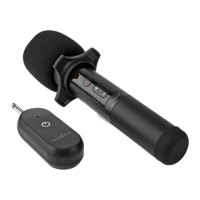
Main parts (image A)
Microphone
LCD display
On / o button
Volume+ button
Volume- button
Microphone battery
compartment
Foam cover
Anti-roll ring
AUX plug
Status indicator LED
On / o button
Receiver battery
compartment
Receiver
Battery level indicator
Channel level
(CH00 - CH19)
Volume level (V00 - V06)
Signal strength
Safety instructions
-
WARNING
• Ensure you have fully read and understood the instructions
in this document before you install or use the product. Keep
this document for future reference.
• Only use the product as described in this document.
• Do not use the product if a part is damaged or defective.
Replace a damaged or defective product immediately.
• Do not drop the product and avoid bumping.
• Disconnect the product from the power outlet and other
equipment if problems occur.
• Do not expose the product to water or moisture.
• Do not expose the product to direct sunlight, naked ames
or heat.
• Keep distance from ammable objects.
• This product may only be serviced by a qualied technician
for maintenance to reduce the risk of electric shock.
• Do not dismantle, open or shred secondary cells or
batteries.
• Do not expose cells or batteries to heat or re. Avoid storage
in direct sunlight.
• Do not short-circuit a cell or a battery.
• Do not store cells or batteries haphazardly in a box or
drawer where they may short-circuit each other or be
short-circuited by other metal objects.
• Do not subject cells or batteries to mechanical shock.
• In the event of a cell leaking, do not allow the liquid to come
in contact with the skin or eyes. If contact has been made,
wash the aected area with copious amounts of water and
seek medical advice.
• Always purchase the battery recommended by the product
manufacturer for the product.


 To Next Page