8
10. Press the SELECT/SCAN button A
y
.
11. Press the previous or next button A
ui
to set the minutes
while the minutes are blinking.
12. Press the SELECT/SCAN button A
y
.
13. Press the previous or next button A
ui
to select the
alarm mode.
14. Press the SELECT/SCAN button A
y
.
15. Press the previous or next button A
ui
to select the
alarm type.
16. Press the SELECT/SCAN button A
y
.
17. Press the previous or next button A
ui
to select the
alarm volume.
18. Press the SELECT/SCAN button A
y
.
19. Press the SELECT/SCAN button A
y
to snooze the alarm. The
alarm rings again after 9 minutes.
20. Press the MODE button A
3
to switch the alarm o.
Using the LED reading light
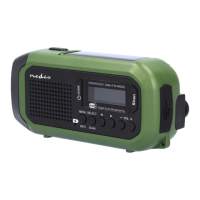
1. Unfold the solar panel A
5
to switch on the LED reading
light A
1
.
2. Fold the solar panel A
5
to switch o the LED reading light
A
1
.
Using the Siren button
Press the Siren button A
6
to sound a siren.
Switching o the product
1. Press the MODE button A
3
to switch the product to
standby mode.
2. Press and hold the MODE button A
3
to switch o the
product.
The display A
4
switches o.
Disposal
The product is designated for separate collection
at an appropriate collection point. Do not dispose
of the product with household waste.
For more information, contact the retailer or
the local authority responsible for the waste
management.


 To Next Page