7
• Do not use an extension cable.
• Do not leave the product unattended when
switched on.
• Keep the product out of reach from children.
• Listening on high volume for a long time will
damage your hearing.
Place the battery
• Place 2 size AAA batteries (not included) into
A
4
.
4
Make sure to match the (+) and (-) polarity
markings.
Connecting the product to a power
outlet
1. Plug the power adapter A
7
into the power
input A
6
.
2. Plug the other end of A
7
into a power outlet.
4
Only use the provided power cable.
4
If you use the product for the first time, the
system will ask you to set language and network
configurations.
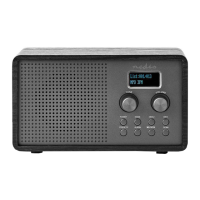
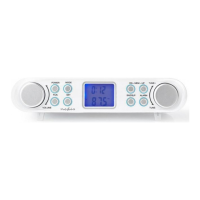
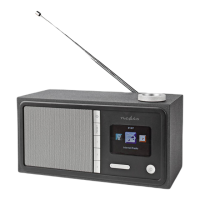
Controls on the radio (image B)
1
Menu
button
Press to return to the menu.
2
Preset
button
Press and hold to preset
radio stations.
3
Speaker
4
Preset
buttons
5
Volume
control dial
/ navigation
dial / OK
button
Playback mode: Turn the
dial to increase or decrease
the volume.
Menu mode: Turn the dial
to navigate through the
menu. Press to confirm the
selection.
6
Display
7
Previous
button
8
Power
button
9
Next button
• Ensure you have fully read and understood the
instructions in this document before you install
or use the product. Keep this document for
future reference.
• Only use the product as described in this
document.
• Do not use the product if a part is damaged or
defective. Replace a damaged or defective
product immediately.
• Do not drop the product and avoid bumping.
• This product may only be serviced by a qualified
technician for maintenance to reduce the risk of
electric shock.
• Unplug the product from the power source and
other equipment if problems occur.
• Only use the provided power cable.
• Do not expose the product to water or moisture.
• Do not use the product where splashing of water
might occur, e.g. bathroom, swimming pool or
close to a washbowl.
• Do not use this product in a bathtub, shower, or
water-filled reservoir.
• Observe the plus (+) and minus (–) marks on the
cell, battery and equipment and ensure correct
use.
• Do not use any cell or battery that is not
designed for use with the product.
• Seek medical advice immediately if a cell or a
battery has been swallowed.
• Use only the cell or battery in the application for
which it was intended.
• Battery usage by children should be supervised.
• Do not mix cells of different manufacture,
capacity, size or type within a product.
• Properly dispose of the empty battery.
• When possible, remove the battery from the
product when not in use.
• Protect the eyes against exposure to visible and/
or infrared radiation. Take adequate precautions
when exposed.
• The product might cause interference with
nearby devices.
• Do not use the product at locations where the
use of wireless devices is prohibited due to
potential interference with other electronic
devices, which may cause safety hazards.
• Place the product on a stable and flat surface.
• Do not open the product.


 To Next Page