7
2. Plug the other end of the USB-USB-C charging
cable A
9
into a 5V/1A USB adapter (not
included).
3. Plug the USB adapter into a power outlet.
For charging via a USB charging port:
1. Plug the USB-C connector of A
9
into A
1
.
2. Plug the other end of the USB-USB-C charging
cable A
9
into a 5V/1A USB power source.
A PC is a usable power source for example.
4
When the battery is low the speaker emits the
voice alert "Please charge".
Playing music from a Bluetooth®
audio source
1. Switch on the product.
The product automatically enters Bluetooth® pairing
mode.
The indicator LED A
6
ashes blue quickly to indicate
pairing mode is active
Activate Bluetooth® on your audio source and connect
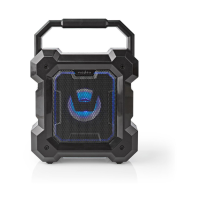
with the product (SPBT2005BK).
A
6
lights up continuously to indicate pairing is
successful.
2. Play music from a Bluetooth® connected audio
source.
Switching between modes
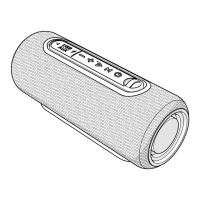
1. Press the power button A
7
to switch between
Bluetooth® and MicroSD mode.
Controlling the music
1. Press and hold the volume up / next track button
A
5
or the volume down / previous track button
A
4
to skip between tracks.
2. Press A
4
or A
5
to control the volume.
3. Press the play/pause button A
8
to play or pause
the music.


 To Next Page