5
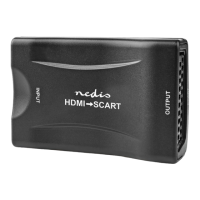
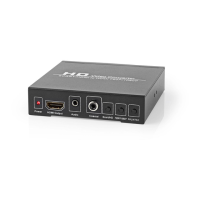
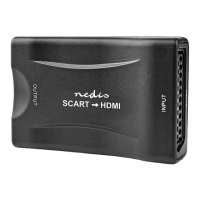
Main parts (image A)
HDMI output
Output resolution switch
Power indicator LED
Power supply port
SCART input
USB power cable
Safety instructions
-
WARNING
• Ensure you have fully read and understood the instructions in this document
before you install or use the product. Keep the packaging and this document
for future reference.
• Only use the product as described in this manual.
• Do not use a damaged product.
• Do not expose the product to direct sunlight, naked ames or heat.
• Do not expose the product to water or moisture.
• Place the product on a stable and at surface.
• Do not drop the product and avoid bumping.
• Do not open the product.
• Keep the product out of reach from children.
• Do not unplug the product by pulling on the cable. Always grasp the plug
and pull.
• Only handle the product with dry hands. Handling with wet hands might
cause an electric shock.
• Unplug the product if you do not plan on using the product for an extended
period of time.
• Only use the provided power cable.
Installing the product
1. Plug a SCART cable (not included) from your source device into the SCART
input .
2. Plug an HDMI cable (not included) from the HDMI output A
1
into your
display.
3. Plug the USB power cable A
6
into the power supply port A
4
.
4. Insert A
6
into the USB port of your TV or with a USB power adapter in a
power outlet.
4
The power indicator LED A
3
lights up.


 To Next Page