5
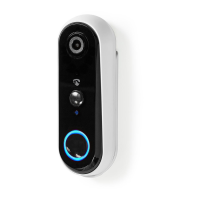
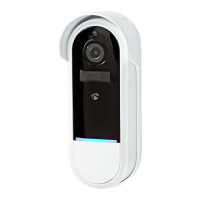
Main parts (image A)
1 Light sensor
2 Bracket
3 Lens
4 Micro USB port
5 PIR sensor
6 Microphone
7 Status indicator LED
8 Doorbell button
9 Speaker
q Micro USB cable
w MicroSD card slot
e Power switch
r Reset button
t External power input
y Reset pin
u Screwdriver
i Screw (4x)
o Plug (4x)
Safety instructions
-
WARNING
• Ensure you have fully read and understood the instructions in this document
before you install or use the product. Keep this document for future
reference.
• Only use the product as described in this document.
• Disconnect the product from the power source and other equipment if
problems occur.
• Do not use the product if a part is damaged or defective. Replace a damaged
or defective product immediately.
• Do not drop the product and avoid bumping.
• Do not expose cells or batteries to heat or re. Avoid storage in direct
sunlight.
• This product may only be serviced by a qualied technician for maintenance
to reduce the risk of electric shock.
• Do not short-circuit a cell or a battery.
• Clean the product regularly with a soft, clean, dry cloth. Avoid abrasives that
can damage the surface.
• After extended periods of storage, it may be necessary to charge and
discharge rechargeable cells or batteries several times to obtain maximum
performance.
• Unplug the product from the power source and other equipment if problems
occur.
• Do not expose the product to water or moisture.
• Do not unplug the product by pulling on the cable. Always grasp the plug
and pull.


 To Next Page