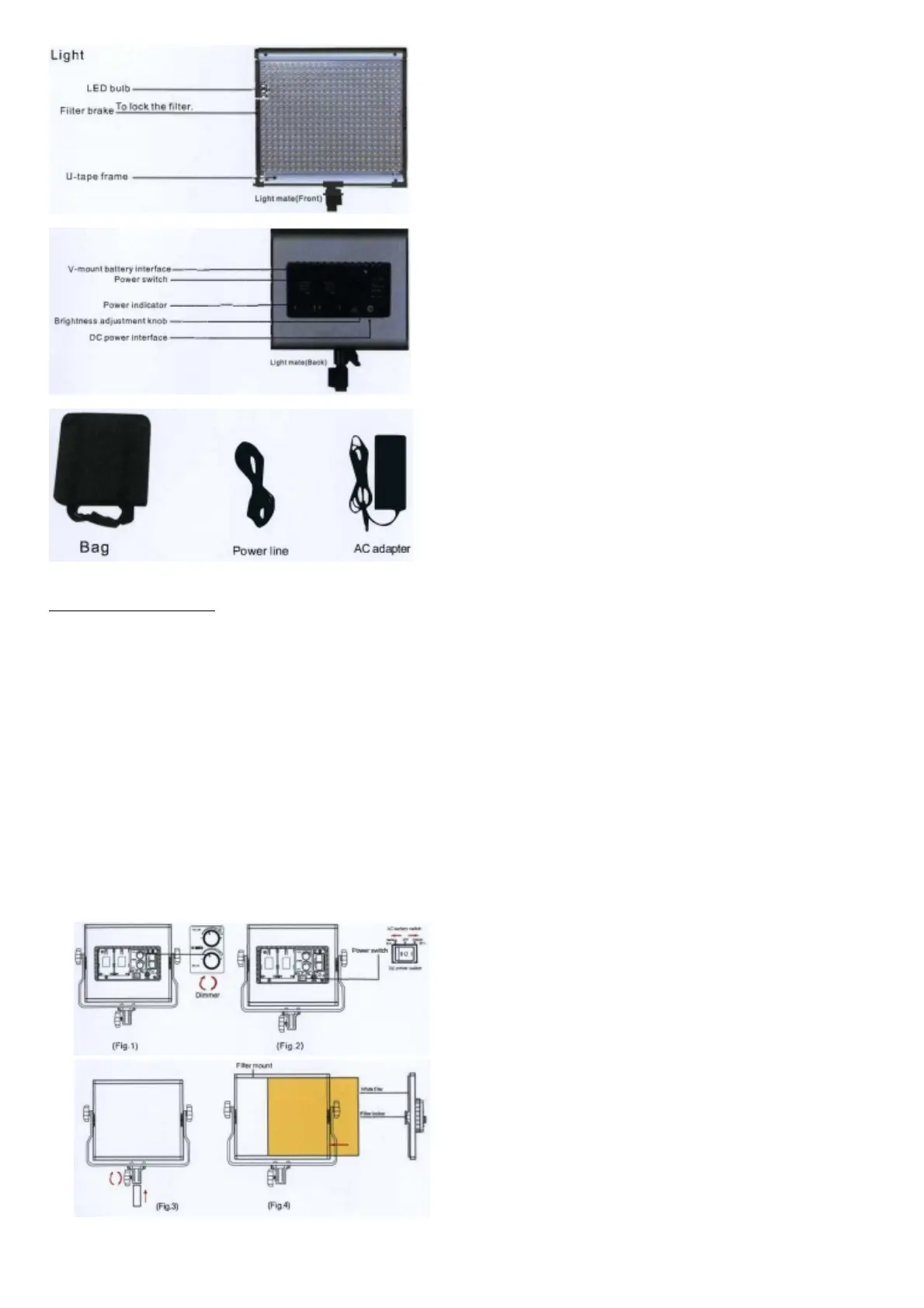
Before using the operation steps
(-) Installation of the LED photography light
1. Using the bracket locking knobs put LI-shaped frame to light panel then screw with the holes for fixation.
(=) Power on LED photography light
1. Use the DC power or V-mount External battery, when the power indicator light is Always is normal.
2. When connected to a DC power supply, switch to the “I” to open, switch to “O” is closed; Access to an external battery, switch to “II” to open, switch to “o” is closed; Please
control switch off when not in use for a long time.
3. Use the “Brightness adjustment knob” to adjust the brightness 0-100%.
4. Use the “Color temperature adjustment knob” to adjust the color temperature 3200K-5600K.
Functional operation and instructions
1. Color Temperature Adjusting
Control light dimmer, rotate color temperature knob to adjust the brightness of the color temperature by hand.
2. The Power Switch
Go up switch for battery switch, Move down switch for Adapter, Switch to middle for off.
3. Install the LED photography light to light stand
Put the LED photography light to light stand, using the light stand locking knob screw with bracket hole for fixation.
4. Soft filter
Put the soft filter in the left and pull buckle to fix.
5. Install the white filter
Put the white filter to light panel slot and keep parallel with panel light housing. However, locking the filter and finish to install.
6. Angle Rotation


 To Next Page