EasyManua.ls Logo

NEFF C17UR02N0B - User Manual

NEFF C17UR02N0B
24 pages
Print Icon
To Next Page IconTo Next Page
Loading...
[en] INSTRUCTION MANUAL
MICROWAVE
C17UR02N0B
Question and Answer IconNeed help?

Do you have a question about the NEFF C17UR02N0B and is the answer not in the manual?

Summary

Intended Use and Safety Precautions

Intended Use of the Appliance

Specifies the appliance's purpose and usage restrictions, including domestic use and installation requirements.

General Important Safety Information

Provides essential safety advice and warnings for general appliance operation, covering fire, burns, and injury risks.

Microwave Specific Safety Warnings

Details specific safety precautions related to microwave usage, including risks of fire, explosion, and burns from food.

Causes of Damage

Risk of Scalding from Heated Liquids

Explains the phenomenon of delayed boiling and provides precautions to prevent sudden overflow and spattering.

Risk of Injury from Ovenware

Discusses risks from unsuitable ovenware that may crack, and potential injuries from door hinges.

Risk of Electric Shock

Warns against removing the appliance casing due to high voltage and potential electric shock hazards.

Risk of Health Damage from Misuse

Addresses cleaning, door seals, and potential microwave energy escape if the appliance is damaged.

Cautionary Notes on Appliance Damage

Covers transport, sparks, operating without food, moisture, dirty seals, open doors, and microwave popcorn.

Environmental Protection and Appliance Familiarization

Environmentally-Friendly Disposal Guidelines

Provides guidance on the proper disposal of packaging and the appliance according to WEEE directive.

Control Panel and Display Overview

Explains the layout of the control panel and the information shown in the display.

Appliance Controls and Navigation

Details the function of touch buttons and the ShiftControl for setting appliance functions.

Main Menu and Operating Modes

Describes how to access the main menu and select different operating modes.

Preparation Before First Use

Additional Information Access

Explains how to access additional information via the '&' touch button.

Included Accessories and Their Use

Lists included accessories like the glass tray and explains their purpose for defrosting and cooking.

Cooking Compartment Functions Explained

Details the operation of the interior lighting and the cooling fan for optimal performance.

Initial Setup and Settings

Guides users through initial settings like language, time, and date after connecting the appliance.

Cleaning New Accessories

Provides instructions on how to clean accessories before using them for the first time.

Operating the Appliance

Switching the Appliance On and Off

Instructions on how to power the appliance on and off for use and standby.

Basic Operation and Control

Covers essential steps like starting, pausing, and resuming operations.

Selecting and Setting Operating Modes

Explains how to choose and configure different cooking or function modes.

Microwave Functionality

Cookware Suitability for Microwaves

Details suitable heat-resistant materials and identifies unsuitable cookware like metal.

Testing Cookware for Microwave Safety

Provides a method to test if cookware is safe for microwave use by checking for heating or sparks.

Microwave Power Levels Explained

Outlines the available microwave power settings and their corresponding uses.

Setting Microwave Power and Cooking Time

Step-by-step guide on how to select the desired microwave output and cooking duration.

Timer Functionality

Setting the Kitchen Timer

Instructions on how to set the appliance as a kitchen timer, independent of cooking functions.

Adjusting Cooking Time and Microwave Output

Details how to modify the cooking time and microwave power during an active operation.

Cancelling or Resetting the Timer

Explains how to cancel the timer by resetting its duration to zero.

Programmes for Easy Cooking

Setting and Using Programmes

Step-by-step guide to selecting a programme and entering food weight for automatic settings.

Programme Preparation Guidance

Details on preparing food for specific programmes like defrosting, vegetables, potatoes, and rice.

Resting Time After Programme Completion

Explains the importance of resting time for certain dishes after the programme has ended.

Programme Table Reference

A table detailing programmes, suitable food types, weight ranges, and recommended cookware.

Basic Settings and Configuration

Changing Appliance Settings

General steps to modify various appliance settings like language and display brightness.

Time Adjustment After Power Interruption

Explains how to re-set the time and date after a power cut.

Modifying Clock Time Settings

Provides instructions on how to adjust the appliance's clock time, for example, for daylight saving.

List of Available Basic Settings

A comprehensive list of configurable settings, including language, clock, audible signals, and display.

Cleaning and Care Instructions

Recommended Cleaning Agents and Methods

Information on suitable and unsuitable cleaning agents to avoid damaging appliance surfaces.

Cleaning Specific Appliance Areas

Instructions for cleaning the appliance front, display, stainless steel, cooking compartment, door panels, and seal.

Troubleshooting Common Issues

Fault Identification and Resolution Table

A table listing common faults, their possible causes, and recommended remedies for self-correction.

Customer Service and Technical Information

Appliance Identification Numbers

Explains how to find and quote the E number and FD number for service inquiries.

Technical Data and Specifications

Lists the technical specifications of the appliance, including power supply, dimensions, and frequency.

Cooking Studio: Defrosting Guide

Defrosting Various Food Items

Provides guidance on defrosting different food items, including meat, poultry, fish, and butter, with settings.

Cooking Studio: Heating and Frozen Food

Heating Frozen Ready Meals

Offers tips for heating up frozen meals quickly and evenly, including covering and stirring.

Safe Heating Practices

Details precautions for heating food, especially liquids, to prevent delayed boiling and scalding.

Cooking Studio: Cooking Guide

Cooking Various Dishes with Microwave

Provides guidance and settings for cooking dishes like chicken, vegetables, potatoes, and rice using the microwave.

Test Dishes and Microwave Tips

Microwave-Only Cooking Performance Tests

Details test dishes used to evaluate the appliance's microwave-only cooking capabilities.

Microwave Defrosting Performance Tests

Lists test dishes used to assess the appliance's defrosting performance.

Summary

Intended Use and Safety Precautions

Intended Use of the Appliance

Specifies the appliance's purpose and usage restrictions, including domestic use and installation requirements.

General Important Safety Information

Provides essential safety advice and warnings for general appliance operation, covering fire, burns, and injury risks.

Microwave Specific Safety Warnings

Details specific safety precautions related to microwave usage, including risks of fire, explosion, and burns from food.

Causes of Damage

Risk of Scalding from Heated Liquids

Explains the phenomenon of delayed boiling and provides precautions to prevent sudden overflow and spattering.

Risk of Injury from Ovenware

Discusses risks from unsuitable ovenware that may crack, and potential injuries from door hinges.

Risk of Electric Shock

Warns against removing the appliance casing due to high voltage and potential electric shock hazards.

Risk of Health Damage from Misuse

Addresses cleaning, door seals, and potential microwave energy escape if the appliance is damaged.

Cautionary Notes on Appliance Damage

Covers transport, sparks, operating without food, moisture, dirty seals, open doors, and microwave popcorn.

Environmental Protection and Appliance Familiarization

Environmentally-Friendly Disposal Guidelines

Provides guidance on the proper disposal of packaging and the appliance according to WEEE directive.

Control Panel and Display Overview

Explains the layout of the control panel and the information shown in the display.

Appliance Controls and Navigation

Details the function of touch buttons and the ShiftControl for setting appliance functions.

Main Menu and Operating Modes

Describes how to access the main menu and select different operating modes.

Preparation Before First Use

Additional Information Access

Explains how to access additional information via the '&' touch button.

Included Accessories and Their Use

Lists included accessories like the glass tray and explains their purpose for defrosting and cooking.

Cooking Compartment Functions Explained

Details the operation of the interior lighting and the cooling fan for optimal performance.

Initial Setup and Settings

Guides users through initial settings like language, time, and date after connecting the appliance.

Cleaning New Accessories

Provides instructions on how to clean accessories before using them for the first time.

Operating the Appliance

Switching the Appliance On and Off

Instructions on how to power the appliance on and off for use and standby.

Basic Operation and Control

Covers essential steps like starting, pausing, and resuming operations.

Selecting and Setting Operating Modes

Explains how to choose and configure different cooking or function modes.

Microwave Functionality

Cookware Suitability for Microwaves

Details suitable heat-resistant materials and identifies unsuitable cookware like metal.

Testing Cookware for Microwave Safety

Provides a method to test if cookware is safe for microwave use by checking for heating or sparks.

Microwave Power Levels Explained

Outlines the available microwave power settings and their corresponding uses.

Setting Microwave Power and Cooking Time

Step-by-step guide on how to select the desired microwave output and cooking duration.

Timer Functionality

Setting the Kitchen Timer

Instructions on how to set the appliance as a kitchen timer, independent of cooking functions.

Adjusting Cooking Time and Microwave Output

Details how to modify the cooking time and microwave power during an active operation.

Cancelling or Resetting the Timer

Explains how to cancel the timer by resetting its duration to zero.

Programmes for Easy Cooking

Setting and Using Programmes

Step-by-step guide to selecting a programme and entering food weight for automatic settings.

Programme Preparation Guidance

Details on preparing food for specific programmes like defrosting, vegetables, potatoes, and rice.

Resting Time After Programme Completion

Explains the importance of resting time for certain dishes after the programme has ended.

Programme Table Reference

A table detailing programmes, suitable food types, weight ranges, and recommended cookware.

Basic Settings and Configuration

Changing Appliance Settings

General steps to modify various appliance settings like language and display brightness.

Time Adjustment After Power Interruption

Explains how to re-set the time and date after a power cut.

Modifying Clock Time Settings

Provides instructions on how to adjust the appliance's clock time, for example, for daylight saving.

List of Available Basic Settings

A comprehensive list of configurable settings, including language, clock, audible signals, and display.

Cleaning and Care Instructions

Recommended Cleaning Agents and Methods

Information on suitable and unsuitable cleaning agents to avoid damaging appliance surfaces.

Cleaning Specific Appliance Areas

Instructions for cleaning the appliance front, display, stainless steel, cooking compartment, door panels, and seal.

Troubleshooting Common Issues

Fault Identification and Resolution Table

A table listing common faults, their possible causes, and recommended remedies for self-correction.

Customer Service and Technical Information

Appliance Identification Numbers

Explains how to find and quote the E number and FD number for service inquiries.

Technical Data and Specifications

Lists the technical specifications of the appliance, including power supply, dimensions, and frequency.

Cooking Studio: Defrosting Guide

Defrosting Various Food Items

Provides guidance on defrosting different food items, including meat, poultry, fish, and butter, with settings.

Cooking Studio: Heating and Frozen Food

Heating Frozen Ready Meals

Offers tips for heating up frozen meals quickly and evenly, including covering and stirring.

Safe Heating Practices

Details precautions for heating food, especially liquids, to prevent delayed boiling and scalding.

Cooking Studio: Cooking Guide

Cooking Various Dishes with Microwave

Provides guidance and settings for cooking dishes like chicken, vegetables, potatoes, and rice using the microwave.

Test Dishes and Microwave Tips

Microwave-Only Cooking Performance Tests

Details test dishes used to evaluate the appliance's microwave-only cooking capabilities.

Microwave Defrosting Performance Tests

Lists test dishes used to assess the appliance's defrosting performance.

Overview

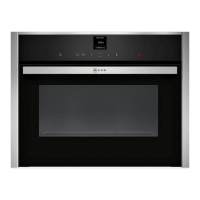
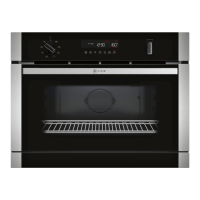
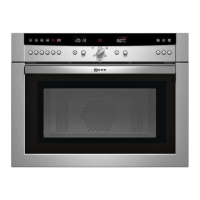
This document is an instruction manual for a NEFF microwave, model C17UR02N0B, providing comprehensive guidance on its operation, maintenance, and safety.

Function Description

The NEFF microwave is designed for domestic use, primarily for the preparation of food and drink. It offers various operating modes, including microwave cooking, defrosting, and heating. The appliance utilizes microwave energy to cook and heat food quickly and efficiently. It features a control panel with touch buttons and a ShiftControl for intuitive navigation and setting adjustments. The microwave is equipped with an interior lighting system that illuminates the cooking compartment when the door is open or during operation, and a cooling fan to prevent overheating.

Usage Features

The microwave offers a range of features to enhance the cooking experience:

General Operation

  • Switching On/Off: The appliance is easily switched on and off using a dedicated touch button. It automatically switches off if no settings are applied for an extended period.
  • Operating Modes: Users can select from various operating modes, including "Microwave" for general cooking, "Programmes" for pre-set meal preparation, and "Settings" for customizing appliance preferences.
  • Starting/Pausing Operation: Operations are initiated by pressing the Start/Stop button. Opening the appliance door pauses the operation, which can be resumed by closing the door and pressing Start/Stop again.
  • Timer Function: A kitchen timer can be set independently of cooking operations, with its own audible signal to distinguish it from cooking time alerts. The timer can be set for up to 24 hours.

Microwave Specifics

  • Cookware Compatibility: The microwave is designed for use with heat-resistant, microwave-safe cookware made of glass, glass ceramic, porcelain, ceramic, or plastic. Metal cookware is unsuitable as it can cause sparks and damage the appliance. A "cookware test" is provided to verify suitability.
  • Power Settings: The appliance offers multiple microwave power settings (90 W, 180 W, 360 W, 600 W, 900 W) for different types of food and tasks, from defrosting delicate foods to heating liquids. The maximum setting for heating liquids (900 W) has a reduced power output after a certain period to protect the appliance.
  • Cooking Time: A default cooking time is provided for each microwave output setting, which can be adjusted by the user.
  • Food Distribution: For optimal heating, food should be distributed as flat as possible in the cookware, avoiding layers. Stirring or turning food during cooking is recommended for even heating.

Programmes

  • Pre-set Programmes: The microwave includes pre-set programmes for various dishes, such as "Defrost bread," "Defrost meat," "Defrost fish," "Fresh vegetables," "Frozen vegetables," "Potatoes," and "Rice."
  • Weight-Based Settings: For programmes, users input the weight of the food, and the appliance automatically applies the most suitable settings.
  • Preparation Instructions: The display provides instructions during preparation, such as when to turn or stir the food.

Basic Settings

  • Customization: Users can adjust various basic settings, including language, clock, date, audible signal type (short, medium, long cooking time), button tone, display brightness, clock display format, night-time dimming, and demo mode.
  • Power Cut Resilience: Changes made to basic settings are retained even after a power cut, except for initial use settings which may need to be re-implemented.

Maintenance Features

Proper care and cleaning are essential to maintain the appliance's appearance and functionality.

Cleaning Agents

  • General Cleaning: Hot soapy water and a soft cloth are recommended for cleaning the appliance front, stainless steel surfaces, and door seal.
  • Cooking Compartment: Hot soapy water or vinegar solution with a dish cloth is suitable for the stainless steel cooking compartment. Abrasive materials, oven sprays, or aggressive oven cleaners should be avoided.
  • Door Panels: Glass cleaner and a dish cloth are recommended for door panels, avoiding glass scrapers.
  • Specific Residues: Limescale, grease, starch, and albumin (e.g., egg white) should be removed immediately from stainless steel surfaces to prevent corrosion.
  • Sponge Cloths: New sponge cloths should be thoroughly washed before use.
  • Prohibited Cleaners: Harsh or abrasive cleaning agents, metal or glass scrapers, hard scouring pads, sponges, and cleaning agents with high alcohol content are strictly prohibited as they can damage surfaces.

Cleaning Practices

  • Regular Cleaning: The appliance should be cleaned regularly, and food residue removed immediately to prevent microwave energy from escaping due to a damaged door seal or cooking compartment.
  • Cooling Down: Always allow the appliance to cool down before cleaning interior surfaces or heating elements to prevent burns.
  • Drying: Interior surfaces should be dried thoroughly after cleaning to prevent corrosion.
  • Odour Removal: Unpleasant odours can be removed by heating a cup of water with a few drops of lemon juice for 1 to 2 minutes at maximum microwave output, with a spoon placed in the container to prevent delayed boiling.
  • Condensation: Any condensation that forms on the door window, interior walls, or floor after cooking should be wiped away.

Safety During Maintenance

  • No High-Pressure/Steam Cleaners: High-pressure or steam cleaners should not be used, as this can result in electric shock.
  • No Glass Scrapers: Glass scrapers should not be used on the appliance door to avoid scratching the glass, which could lead to cracks.

NEFF C17UR02N0B Specifications

General IconGeneral
Clock typeElectronic
Door hingedown
Timer typeDigital
Control typeTouch
Product typeCombination microwave
Product colorBlack
Door open typePull-down
Microwave power900 W
Built-in displayYes
Appliance placementBuilt-in
Inverter technology-
Current10 A
Connected load1220 W
AC input voltage220 - 240 V
AC input frequency50 Hz
Weight and Dimensions IconWeight and Dimensions
Depth545 mm
Width596 mm
Height455 mm
Weight24162 g
Interior dimensions (W x D x H)242 x 430 x 345 mm

Related product manuals