04. QUICK START GWIDF
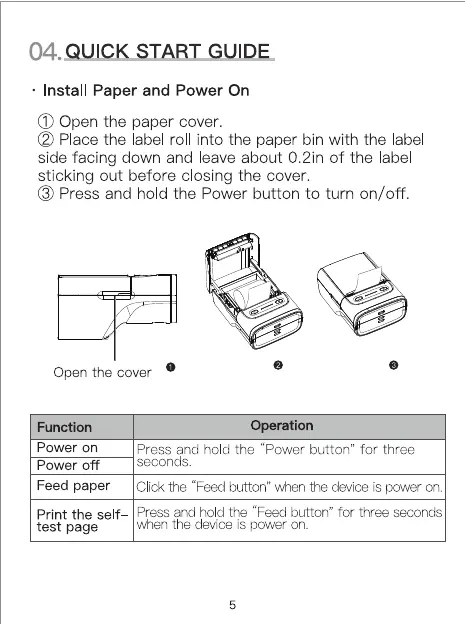
Install Paper and Power On
(j) Open the paper cover.
(2) Place the label rol into the paper bin with the label
side facing down and leave about 0.2in of the label
sticking out before closing the cover.
O Press and hold the Power button to turn on/off.
Function
Power on
Power off
Feed paper
Print the self
test page
Operation
Press and hold the "Power button" for three
seconds.
Click the "Feed button" Wien the deviceis power on.
Press and hold the "Feed button" for three seconds
uhen the device is power on.
5


 To Next Page