S MARTA PPLETS INSTALLED ON THE NEO 2
About Beamer
20
. . . . .
For more information about KeyWords, refer to the NEO and NEO 2
SmartApplet User Manual.
About Beamer
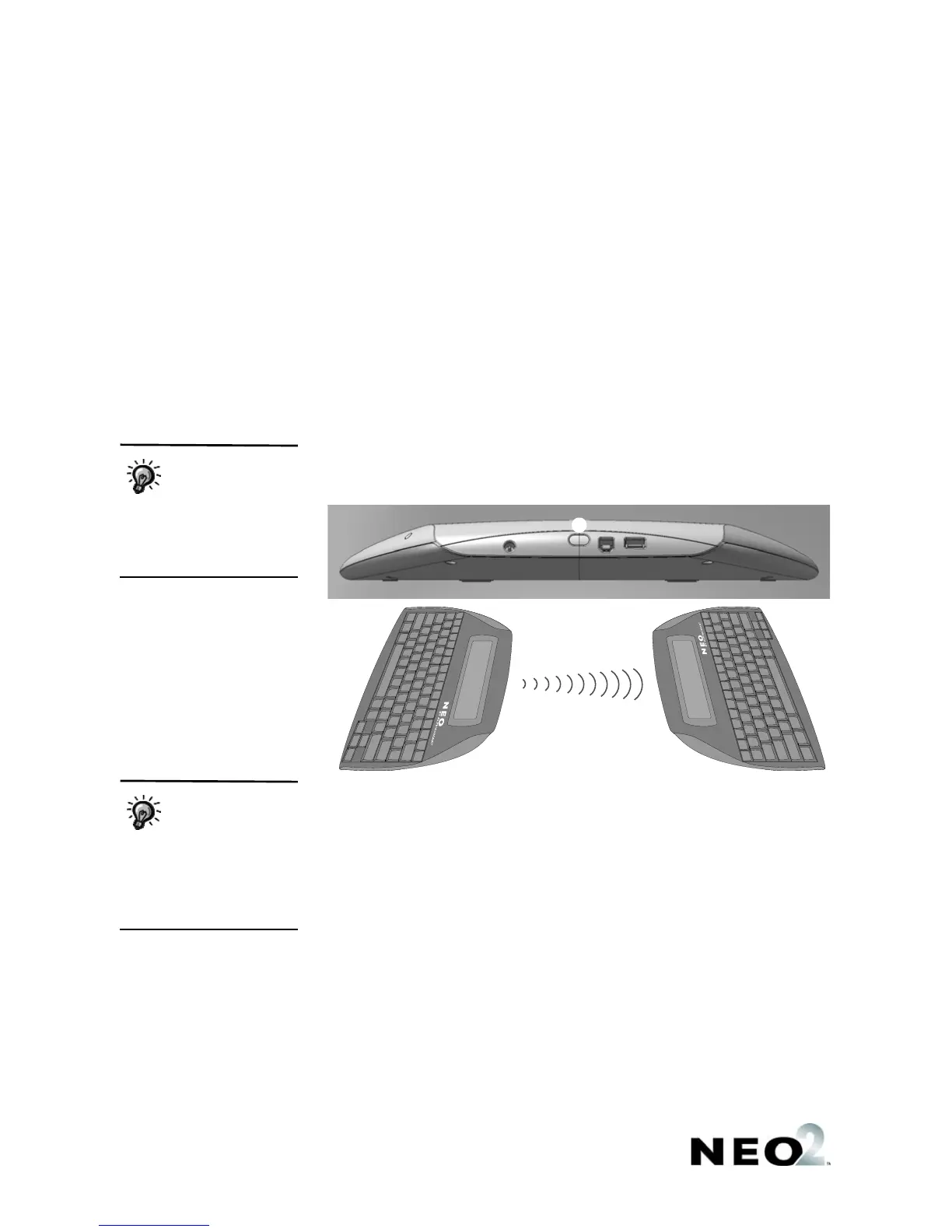
The Beamer SmartApplet uses infrared (IR) technology to send data from one
NEO or NEO 2 to another without using a cable. (You can also send data
between a NEO 2 and an AlphaSmart 3000 running System 3 software, a
Palm OS device, or a Dana.)
Follow these steps to beam files from one NEO2 to another or to a NEO:
1. Move the NEOs to within three feet of each other and aim their infrared
ports
A at each other as shown below.
2. The sender should open the file he or she wants to send and press ctrl-
send.
The receiver should open the file space that he or she wants to receive
the text into and press ctrl-B.
3. If the file that the receiver chose was not empty, a message will ask if you
want to overwrite it or append to it (that is, add the beamed text to the end
of the file). Move your cursor next to an option and press enter.
See the NEO and NEO 2 SmartApplet User Manual to find out how to beam
to and from other devices, how to beam files within the Beamer SmartApplet,
how to send password-protected files, and how to change Beamer settings.
You can also beam
files to your
computer using the
AlphaBeam software. For
more information, see the
NEO and NEO 2 User
Manual.
A
If there is text in the
clipboard, NEO 2 will
ask if you want to
overwrite the clipboard with
the file you’re receiving. To
continue and allow the
clipboard to be overwritten,
press enter.


 To Next Page
 Loading...