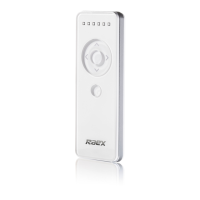
Remote transmitter special functions:
- Function 1 [UP TILT]: Tilts UP or intermediate position 1
- Function 2 [DOWN TILT]: Tilts DOWN or intermediate position 2
- Channel Selection: Selects the required channel
- Setting: Pairs new channels and special setting functions
REMOTE OPERATION AND PROGRAMMING
1. PAIRING MOTOR WITH A REMOTE CONTROL
a. Set remote control channels for motors with the [MOTOR SETTING] button:
i. Press [MOTOR SETTING] button for 3 seconds, until the motor moves up and
down.
ii. Press remote [SETTING] button on the back of the remote control, motor moves
up and down to confirm operation.
b. Set remote control channels for motors without the [MOTOR SETTING] button:
i. Cut power from the motor for at least 5 seconds
ii. Connect motor to power, motor will move up and down entering setting mode
iii. Within 10 seconds, press remote [SETTING] button on the back of the remote
control, motor moves up and down
iv. Then, press [UP] button, motor moves up and down again to confirm operation.
c. Copy remote control channels:
i. Using an already programmed remote control
ii. Press remote A [SETTING] button on the back of the remote control for 3
seconds, until the motor moves up and down.
iii. Press remote B [SETTING] button on the back of the remote control, motor
moves up and down to confirm the new remote/channel was paired.
1


 To Next Page
 Need help?
 General