EN
.
28
MACHINE BLUETOOTH AND WI-FI
The machine comes with a connectivity module, enabled
by default. It gives access to additional features, enhancing
your coee experience. To disable the connectivity module,
follow these steps:
10s
1
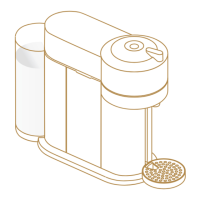
With the machine closed and the lever in unlocked position,
unplug the machine for at least 10 seconds.
+
2
Press and hold the buon whilst plugging the machine.
The buon will blink orange to confirm that the connectivity
module has now been disabled.
i
Follow the same steps to set the connectivity module back on again.
The buon will blink white to confirm that the module has been
reactivated.
MACHINE SETTINGS PAGE 2/2



 To Next Page
 Loading...