About this task
• The power supplies are redundant and hot-swappable.
• This procedure is written for replacing one power supply at a time.
It is a best practice to replace the power supply within two minutes of removing it from the
chassis. The system continues to function, but ONTAP sends messages to the console
about the degraded power supply until the power supply is replaced.
• The number of power supplies in the system depends on the model.
• Power supplies are auto-ranging.
Steps
1. Identify the power supply you want to replace, based on console error messages or through the LEDs on
the power supplies.
2. If you are not already grounded, properly ground yourself.
3. Turn off the power supply and disconnect the power cables:
a. Turn off the power switch on the power supply.
b. Open the power cable retainer, and then unplug the power cable from the power supply.
c. Unplug the power cable from the power source.
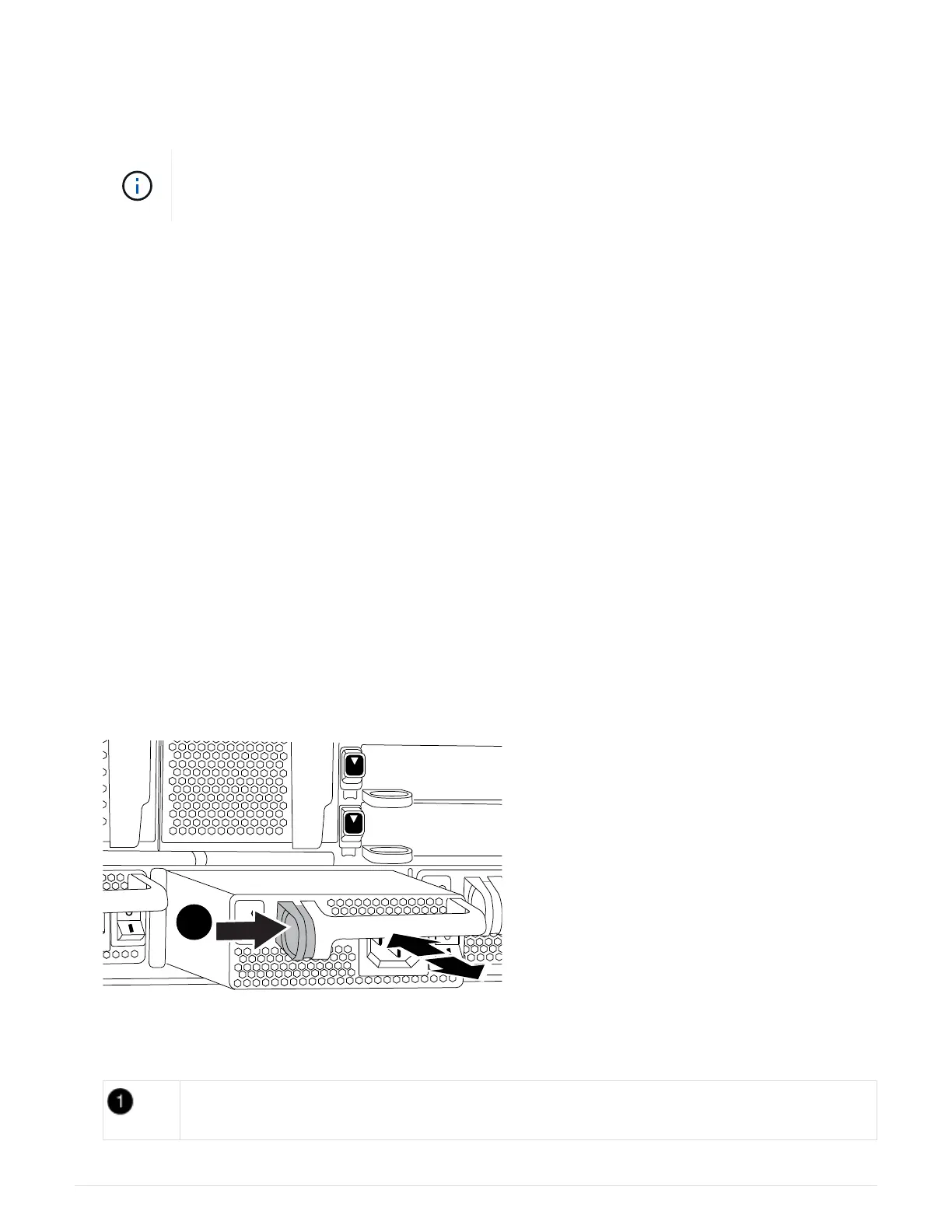
4. Press and hold the terra cotta button on the power supply handle, and then pull the power supply out of the
chassis.
CAUTION:
When removing a power supply, always use two hands to support its weight.
Animation—Remove/install PSU
Locking button
103



 To Next Page