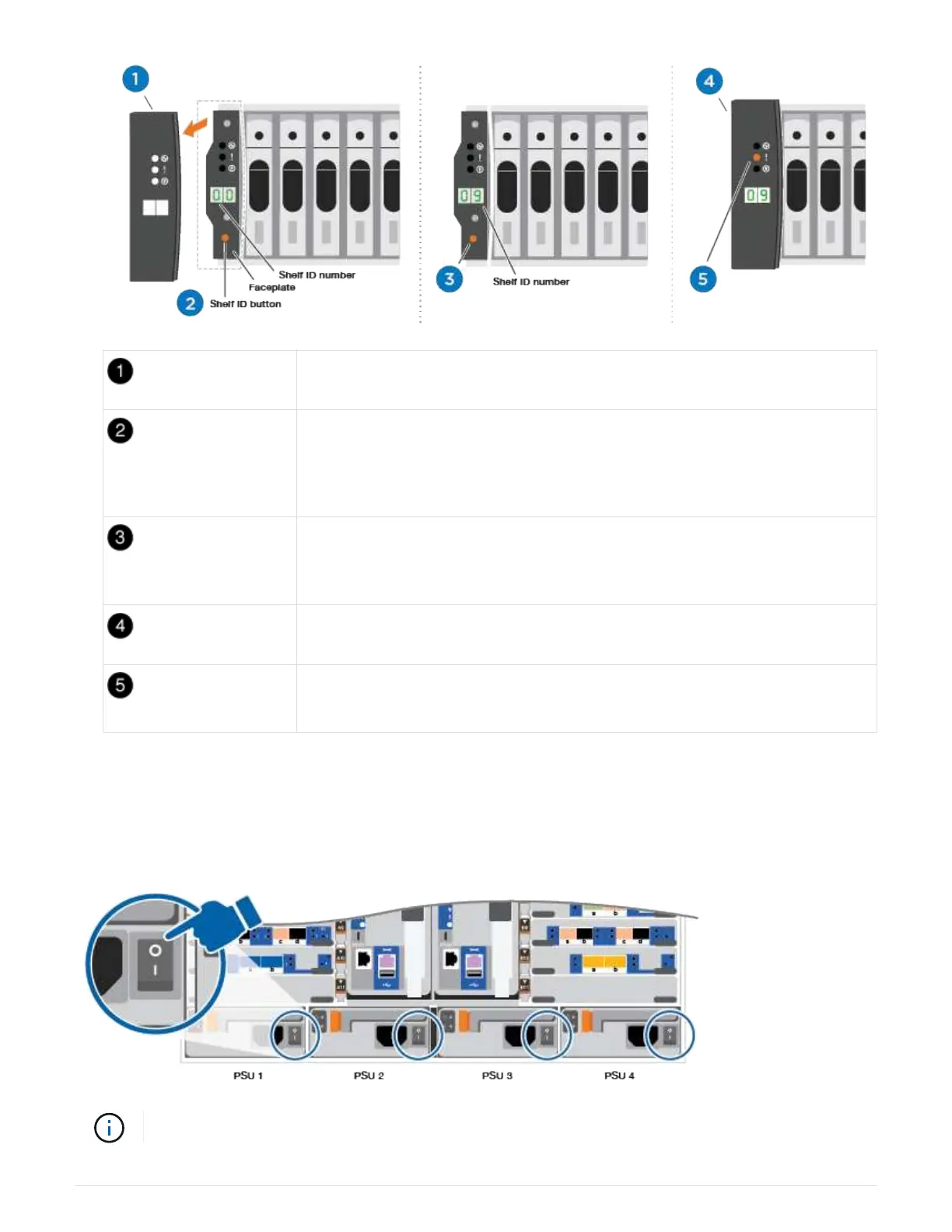
Remove the end cap.
Press and hold shelf ID button until first digit blinks, then push to advance to 0-
9.
Note: The first digit continues to blink
Press and hold shelf ID button until second digit blinks, then push to advance
to 0-9. Note: The first digit stops blinking, and the second digit continues to
blink.
Replace the end cap.
Wait 10 seconds for the Amber LED (!) to appear, then power-cycle the drive
shelf to set shelf ID.
3. Plug the power cords into the controller power supplies, and then connect them to power sources on
different circuits.
4. Turn on the power switches to both nodes.
Animation—Turn on the power to the controllers
Initial booting may take up to eight minutes.
16



 To Next Page