7. Secure the rear of the chassis to the equipment rack or system cabinet.
8. If you are using the cable management brackets, remove them from the old chassis, and then install them
on the replacement chassis.
9. If you have not already done so, install the bezel.
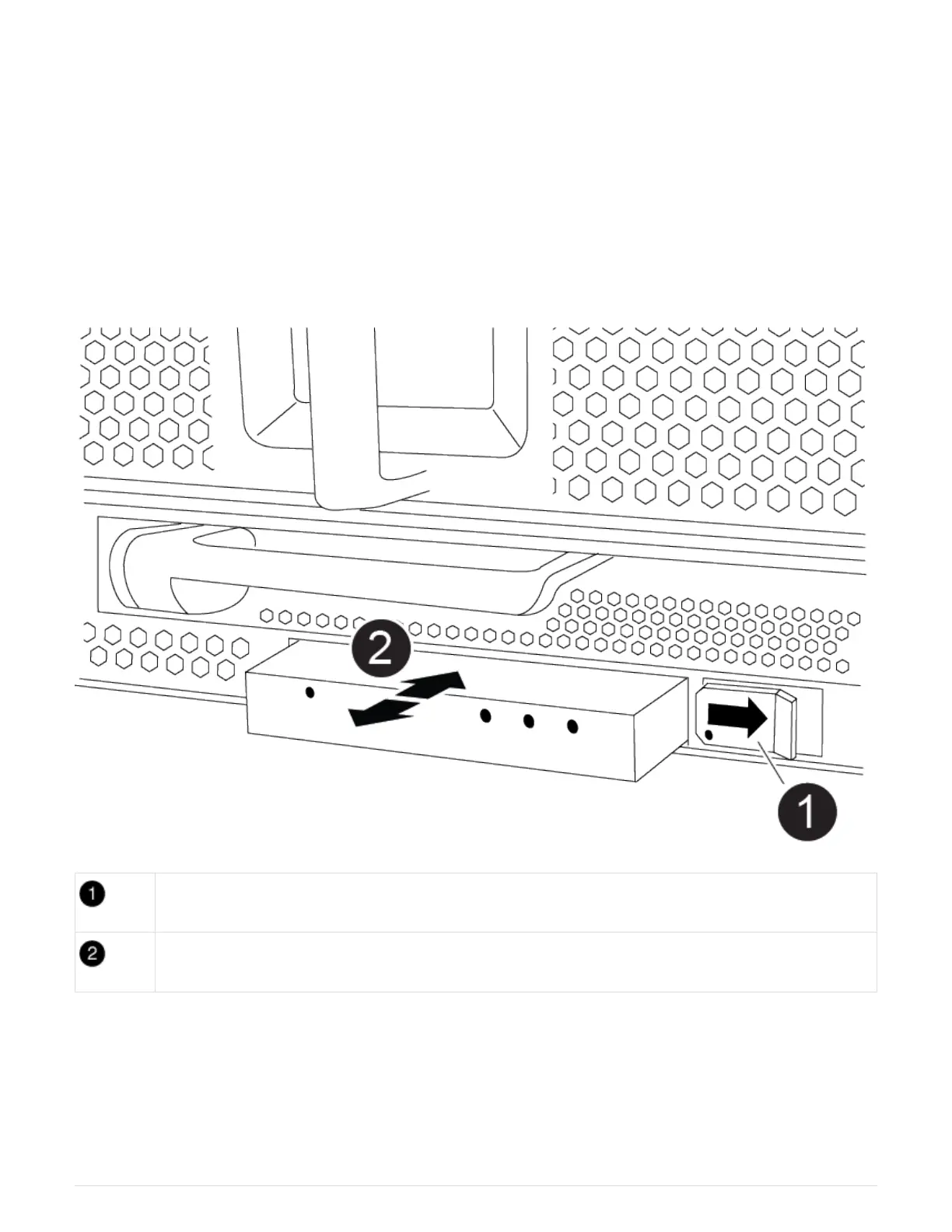
Step 7: Move the USB LED module to the new chassis
Once the new chassis is installed into the rack or cabinet, you must move the USB LED
module from the old chassis to the new chassis.
Animation — Remove/install USB
Eject the module.
Slide out of chassis.
1. Locate the USB LED module on the front of the old chassis, directly under the power supply bays.
2. Press the black locking button on the right side of the module to release the module from the chassis, and
then slide it out of the old chassis.
3. Align the edges of the module with the USB LED bay at the bottom-front of the replacement chassis, and
gently push the module all the way into the chassis until it clicks into place.
46



 To Next Page