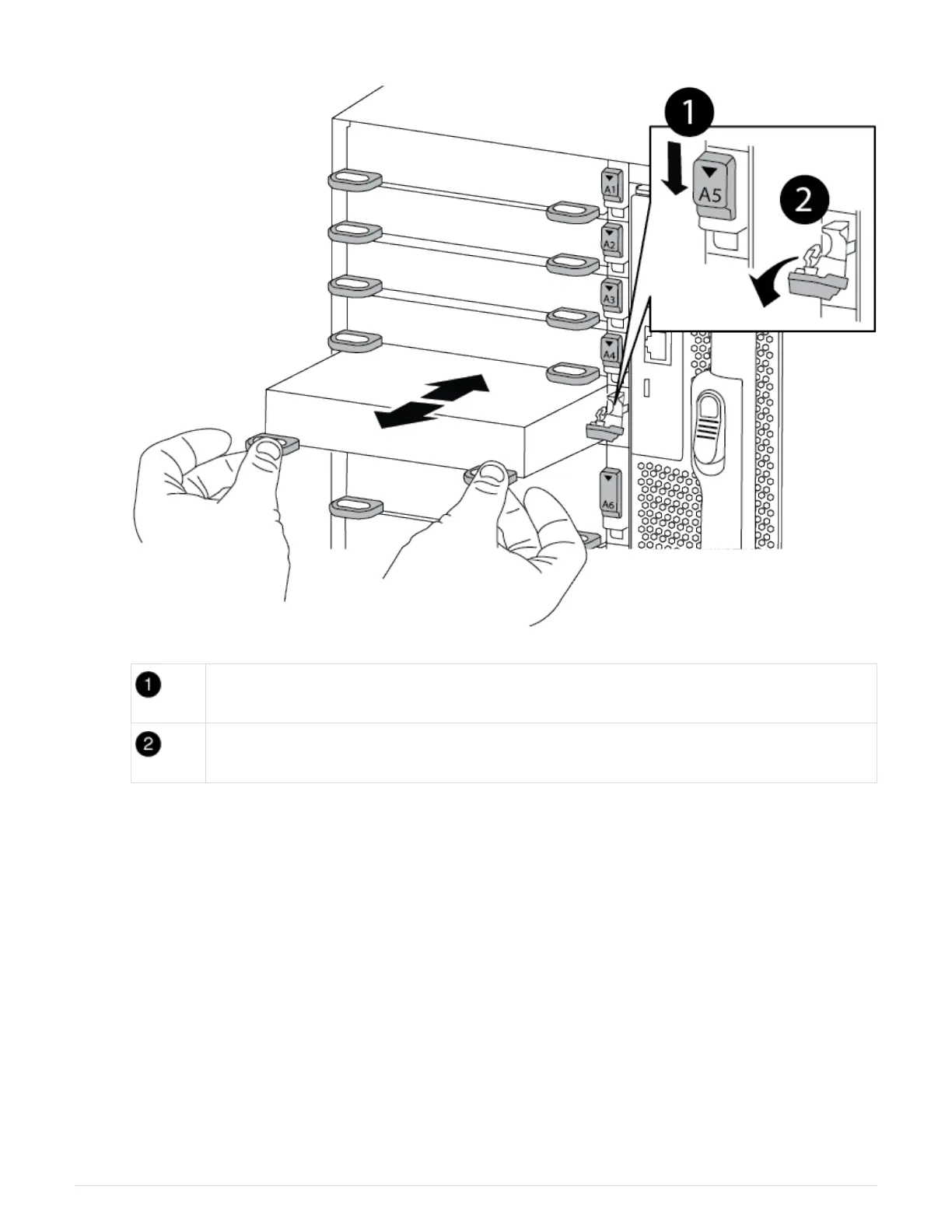
Lettered and numbered I/O cam latch
I/O cam latch completely unlocked
4. Set the I/O module aside.
5. Install the replacement I/O module into the chassis by gently sliding the I/O module into the slot until the
lettered and numbered I/O cam latch begins to engage with the I/O cam pin, and then push the I/O cam
latch all the way up to lock the module in place.
6. Recable the I/O module, as needed.
Step 3: Reboot the controller after I/O module replacement
After you replace an I/O module, you must reboot the controller module.
1. From the LOADER prompt, reboot the node: bye
2. If your system is configured to support 10 GbE cluster interconnect and data connections on 40 GbE NICs
or onboard ports, convert these ports to 10 GbE connections by using the nicadmin convert command from
Maintenance mode.
89



 To Next Page