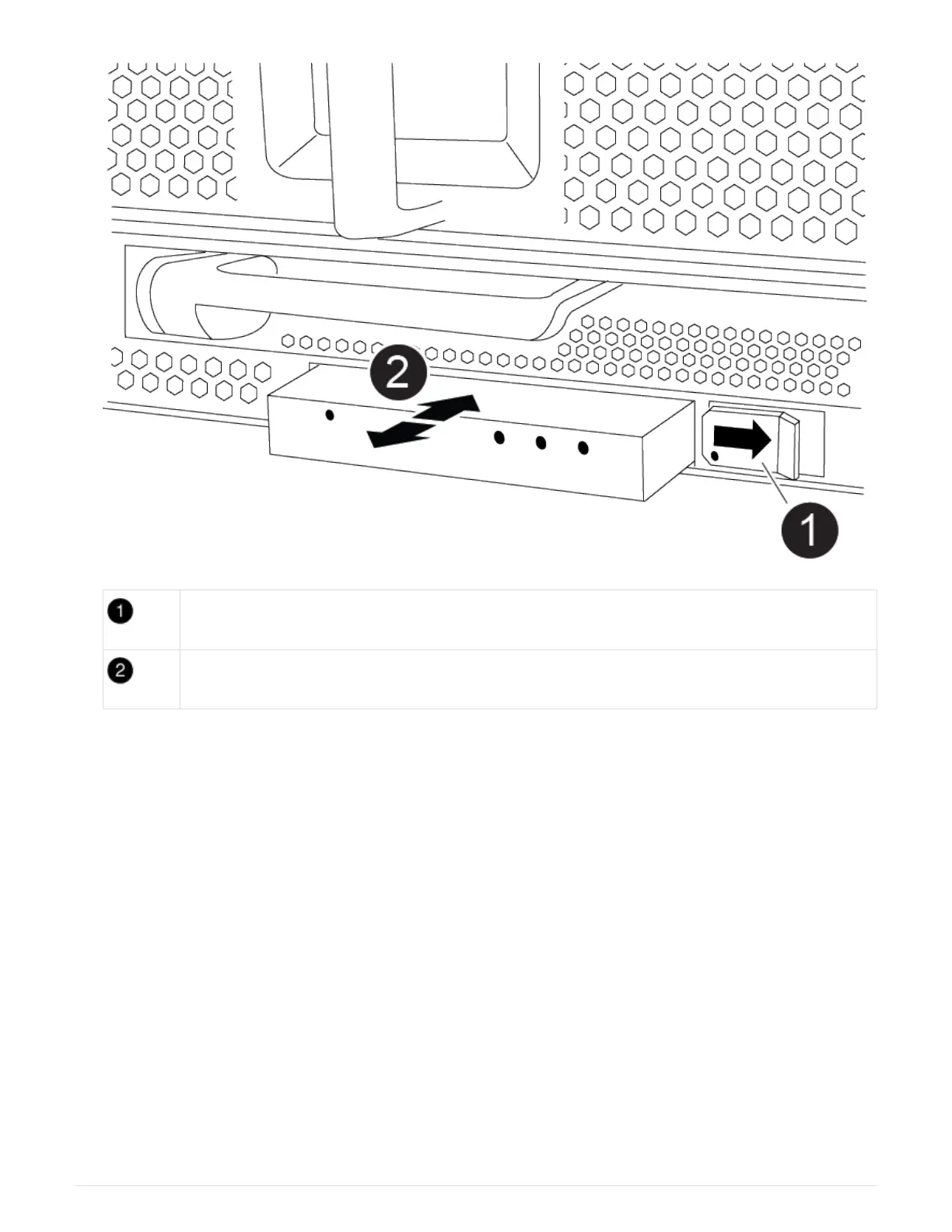
Locking button
USB LED module
a. With the bezel removed, locate the LED USB module at the front of the chassis, on the bottom left side.
b. Slide the latch to partially eject the module.
c. Pull the module out of the bay to disconnect it from the midplane. Do not leave the slot empty.
2. Install the new LED USB module:
a. Align the module to the bay with the notch in the corner of the module positioned near the slider latch
on the chassis. The bay will prevent you from installing the module upside down.
b. Push the module into the bay until it is fully seated flush with the chassis.
There is an audible click when the module is secure and connected to the midplane.
Step 2: Return the failed component
1. After you replace the part, you can return the failed part to NetApp, as described in the RMA instructions
shipped with the kit. Contact technical support at
NetApp Support, 888-463-8277 (North America), 00-800-
44-638277 (Europe), or +800-800-80-800 (Asia/Pacific) if you need the RMA number or additional help
with the replacement procedure.
91



 To Next Page