Do not mix PSUs with different efficiency ratings. Always replace like for like.
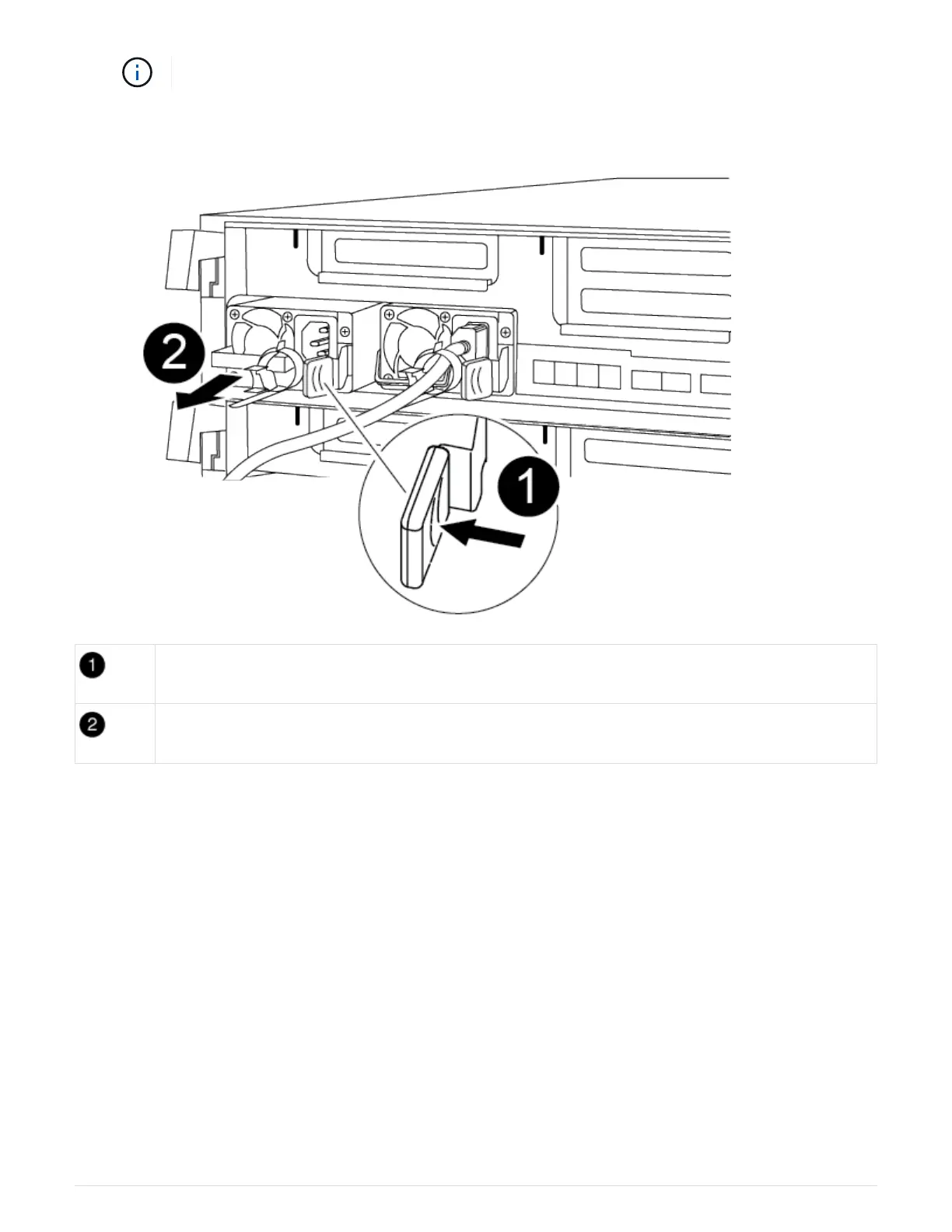
You can use the following illustration with the written steps to replace the power supply.
PSU locking tab
Power cable retainer
1. If you are not already grounded, properly ground yourself.
2. Identify the power supply you want to replace, based on console error messages or through the LEDs on
the power supplies.
3. Disconnect the power supply:
a. Open the power cable retainer, and then unplug the power cable from the power supply.
b. Unplug the power cable from the power source.
4. Remove the power supply:
a. Rotate the cam handle so that it can be used to pull the power supply out of the chassis.
b. Press the blue locking tab to release the power supply from the chassis.
c. Using both hands, pull the power supply out of the chassis, and then set it aside.
5. Using both hands, support and align the edges of the power supply with the opening in the controller
module, and then gently push the power supply into the controller module until the locking tab clicks into
place.
100



 To Next Page