The riser raises up slightly from the controller module.
c. Lift the riser up, and then set it aside on a stable, flat surface.
d. Loosen the thumbscrews on the mezzanine card, and gently lift the card directly out of the socket, and
then move it to the replacement controller module.
e. Install the mezzanine in the replacement controller and secure it with the thumbscrews.
f. Install the third riser in the replacement controller module.
Step 6: Move the DIMMs
You need to locate the DIMMs, and then move them from the impaired controller module to the replacement
controller module.
You must have the new controller module ready so that you can move the DIMMs directly from the impaired
controller module to the corresponding slots in the replacement controller module.
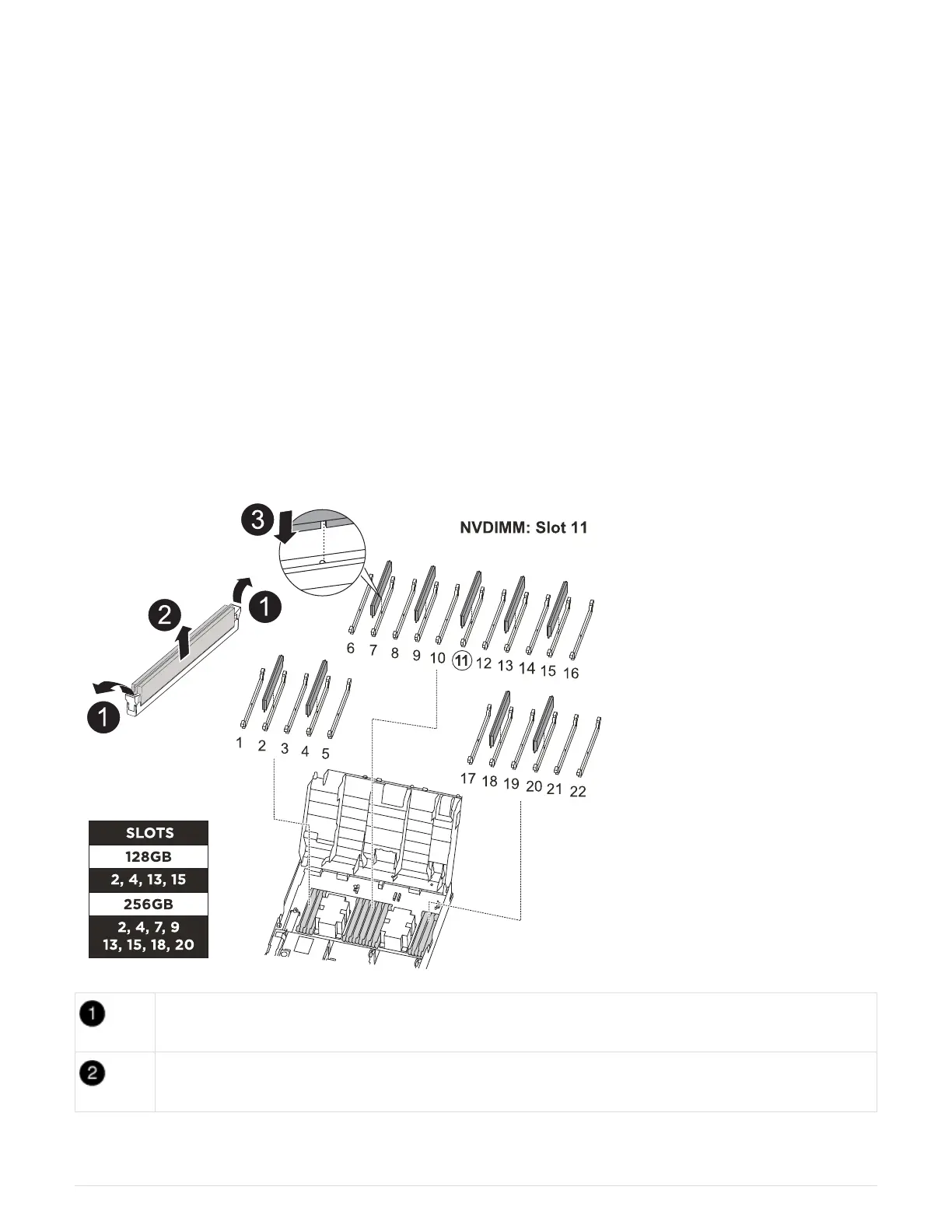
You can use the following animation, illustration, or the written steps to move the DIMMs from the impaired
controller module to the replacement controller module.
Animation - Move the DIMMs
DIMM locking tabs
DIMM
50



 To Next Page