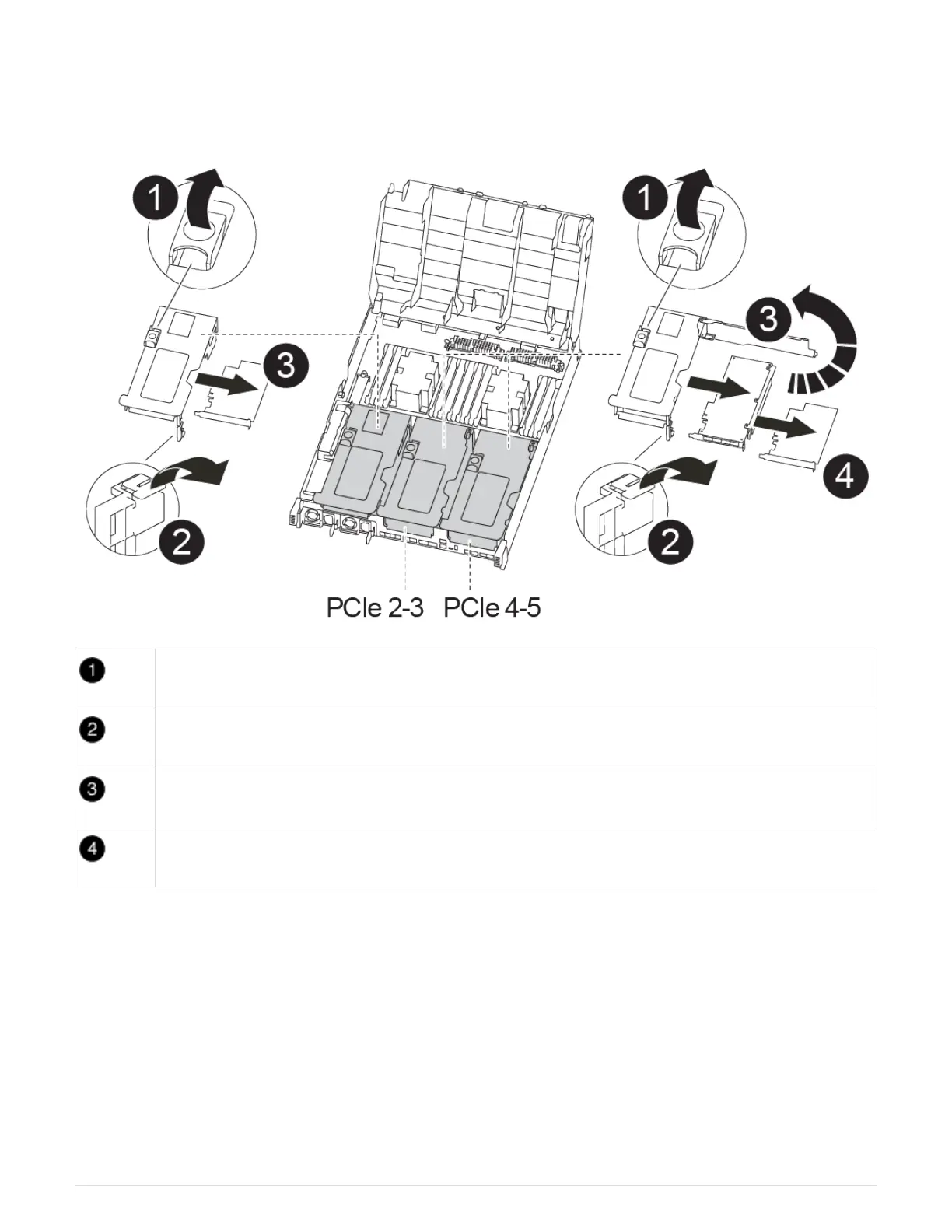
Step 3: Replace a PCIe card
To replace a PCIe card, you must locate the failed PCIe card, remove the riser that contains the card from the
controller module, replace the card, and then reinstall the PCIe riser in the controller module.
Riser locking latch
PCI card locking latch
PCI locking plate
PCI card
1. Remove the riser containing the card to be replaced:
a. Open the air duct by pressing the locking tabs on the sides of the air duct, slide it toward the back of
the controller module, and then rotate it to its completely open position.
b. Remove any SFP or QSFP modules that might be in the PCIe cards.
c. Rotate the riser locking latch on the left side of the riser up and toward air duct.
The riser raises up slightly from the controller module.
d. Lift the riser up straight up and set it aside on a stable flat surface,
2. Remove the PCIe card from the riser:
94



 To Next Page