then follow the directions to replace it.
Before you begin
Although the contents of the boot media is encrypted, it is a best practice to erase the contents of the boot
media before replacing it. For more information, see the
Statement of Volatility for your system on the
NetApp Support Site.
You must log into the NetApp Support Site to display the Statement of Volatility for your
system.
You can use the following animation, illustration, or the written steps to replace the boot media.
Animation - Replace the boot media
Steps
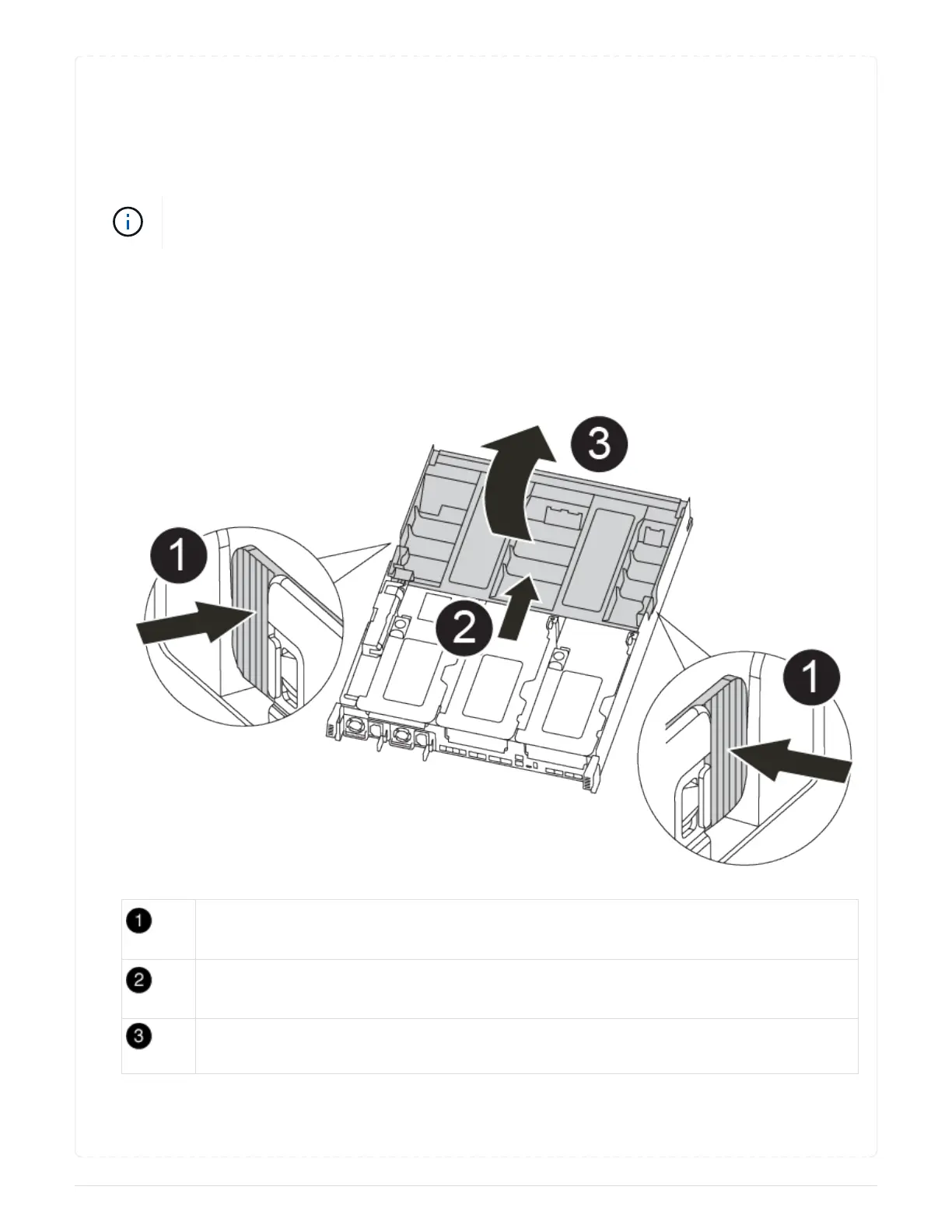
1. Open the air duct:
Locking tabs
Slide air duct toward back of controller
Rotate air duct up
a. Press the locking tabs on the sides of the air duct in toward the middle of the controller module.
b. Slide the air duct toward the back of the controller module, and then rotate it upward to its
119



 To Next Page