7. Place the controller module on a stable, flat surface.
== Step 3: Replace system DIMMs
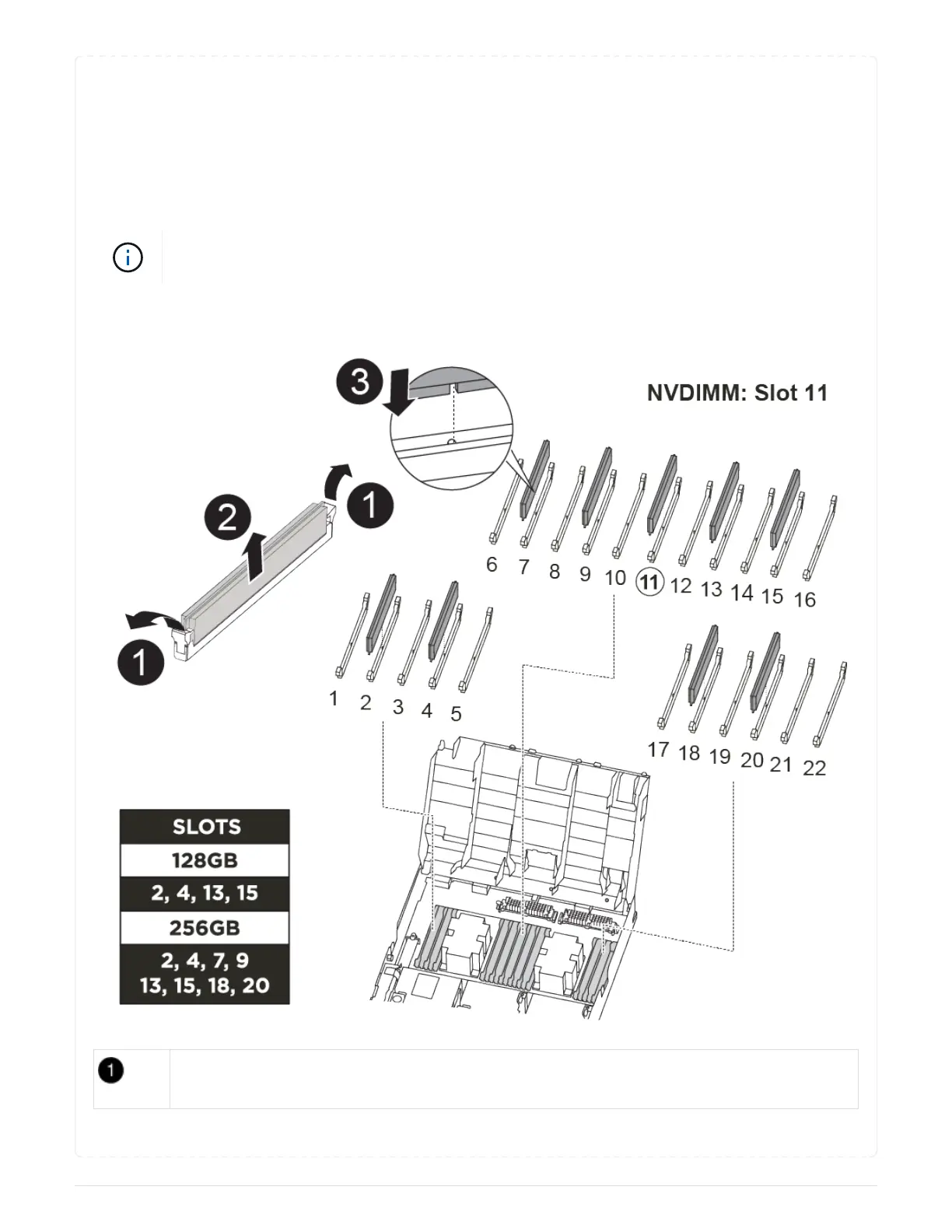
Replacing a system DIMM involves identifying the target DIMM through the associated error message,
locating the target DIMM using the FRU map on the air duct, and then replacing the DIMM.
You can use the following animation, illustration, or the written steps to replace a system DIMM.
The animation and illustration show empty slots for sockets without DIMMs. These empty
sockets are populated with blanks.
Animation - Replace a system DIMM
DIMM locking tabs
164



 To Next Page