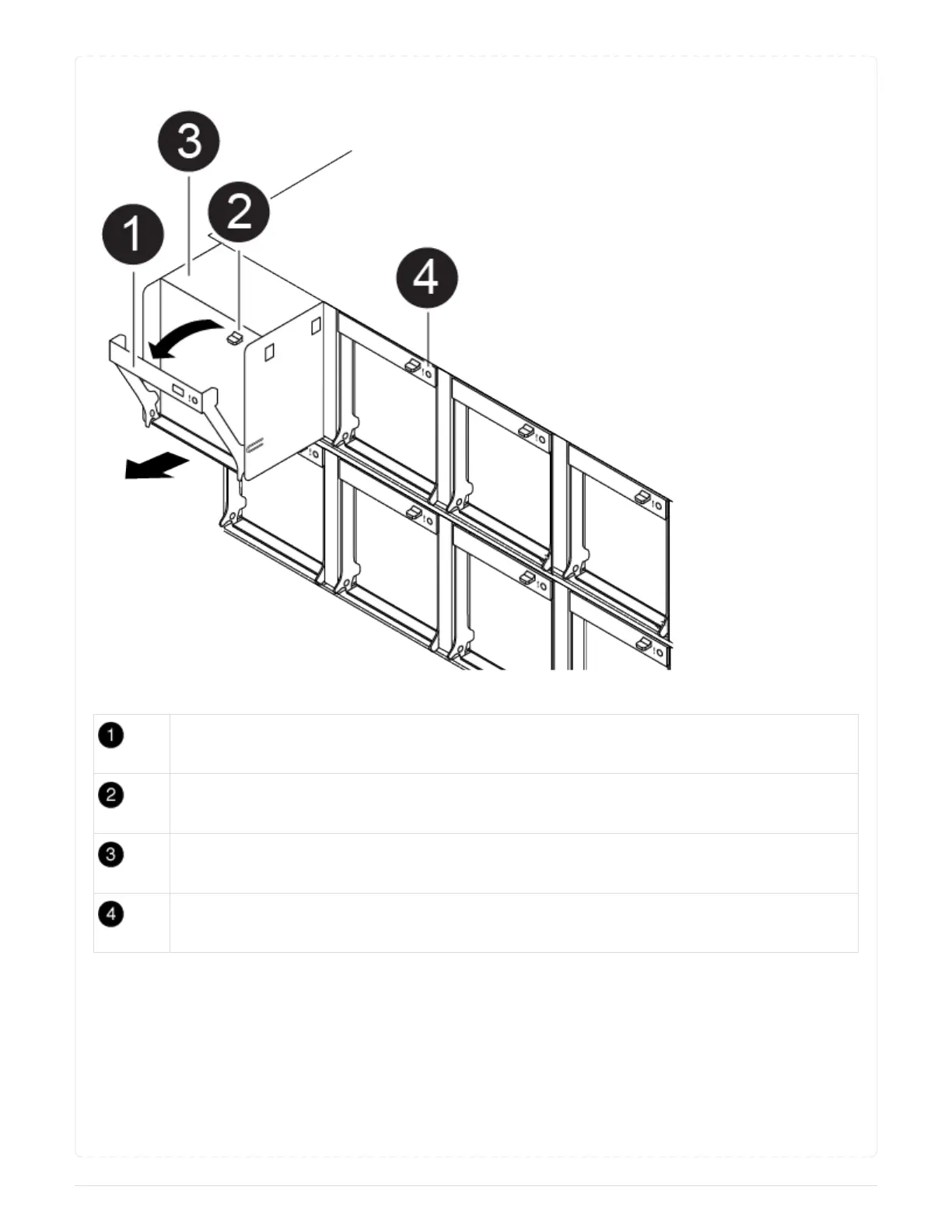
Animation - Replace a fan
Fan handle
Locking tab
Fan
Status LED
1. If you are not already grounded, properly ground yourself.
2. Remove the bezel (if necessary) with two hands, by grasping the openings on each side of the bezel,
and then pulling it toward you until the bezel releases from the ball studs on the chassis frame.
3. Identify the fan module that you must replace by checking the console error messages and looking at
the Attention LED on each fan module.
4. Press down the release latch on the fan module cam handle, and then rotate the cam handle
downward.
169



 To Next Page