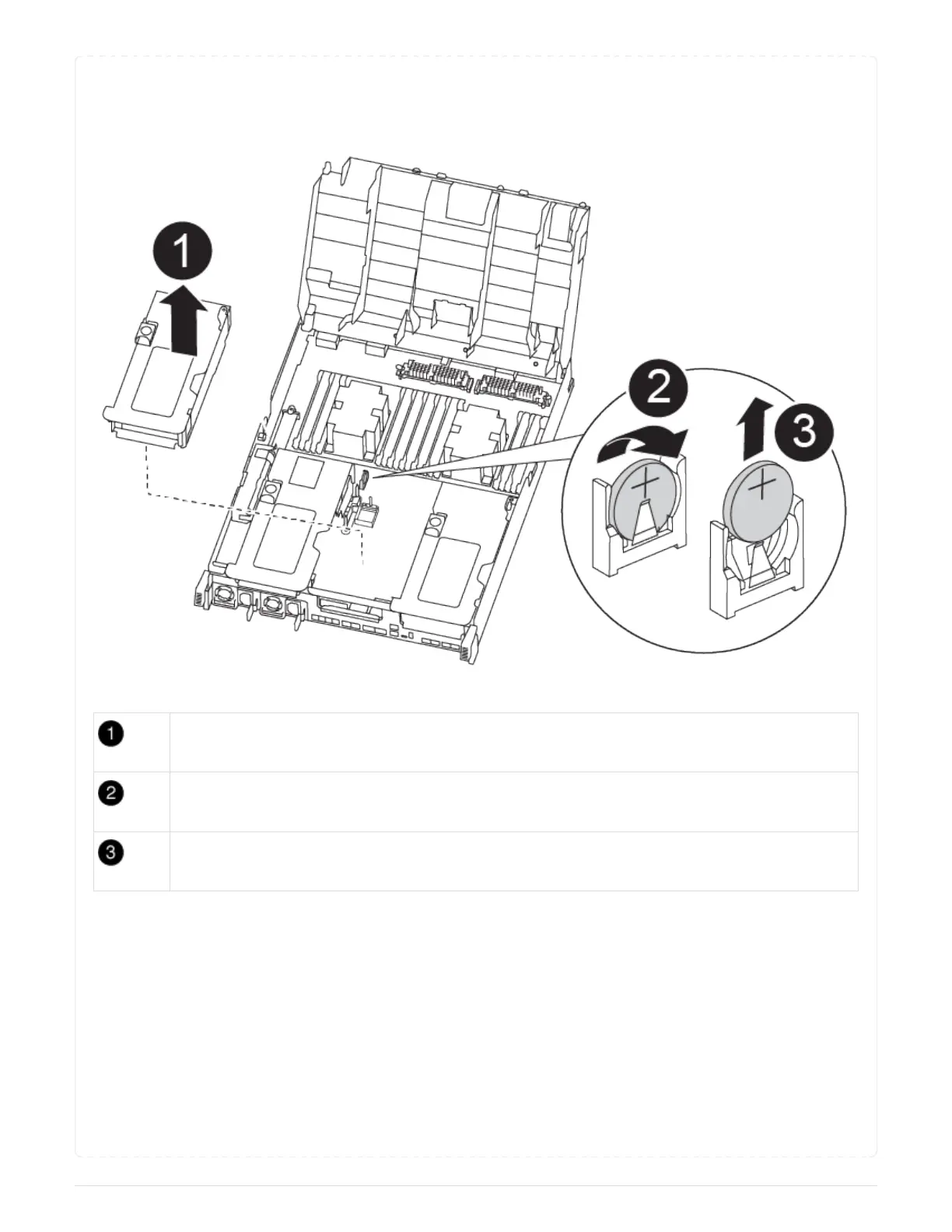
You can use the following animation, illustration, or the written steps to replace the RTC battery.
Animation - Replace the RTC battery
Middle riser
Remove RTC battery
Seat RTC battery
1. If you are not already grounded, properly ground yourself.
2. Open the air duct:
a. Press the locking tabs on the sides of the air duct in toward the middle of the controller module.
b. Slide the air duct toward the back of the controller module, and then rotate it upward to its
completely open position.
3. Locate, remove, and then replace the RTC battery:
a. Using the FRU map, locate the RTC battery on the controller module.
b. Gently push the battery away from the holder, rotate it away from the holder, and then lift it out of
the holder.
205



 To Next Page