You need to be aware of the safety concerns associated with the weight of the system.
[drw asac800 weight caution] | ../media/drw_asac800_weight_caution.png
3. Attach cable management devices (as shown).
[drw asac800 install cable mgmt] | ../media/drw_asac800_install_cable_mgmt.png
4. Place the bezel on the front of the system.
== Step 3: Cable controllers
There is required cabling for your platform’s cluster using the two-node switchless cluster method or the
cluster interconnect network method. There is optional cabling to the Fibre Channel or iSCSI host
networks or direct-attached storage. This cabling is not exclusive; you can have cable to a host network
and storage.
=== Required cabling: Cable controllers to a cluster
Cable the controllers to a cluster by using the two-node switchless cluster method or by using the cluster
interconnect network.
==== Option 1: Cable a two-node switchless cluster
Management network ports on the controllers are connected to switches. The HA interconnect and cluster
interconnect ports are cabled on both controllers.
Before you begin
Contact your network administrator for information about connecting the system to the switches.
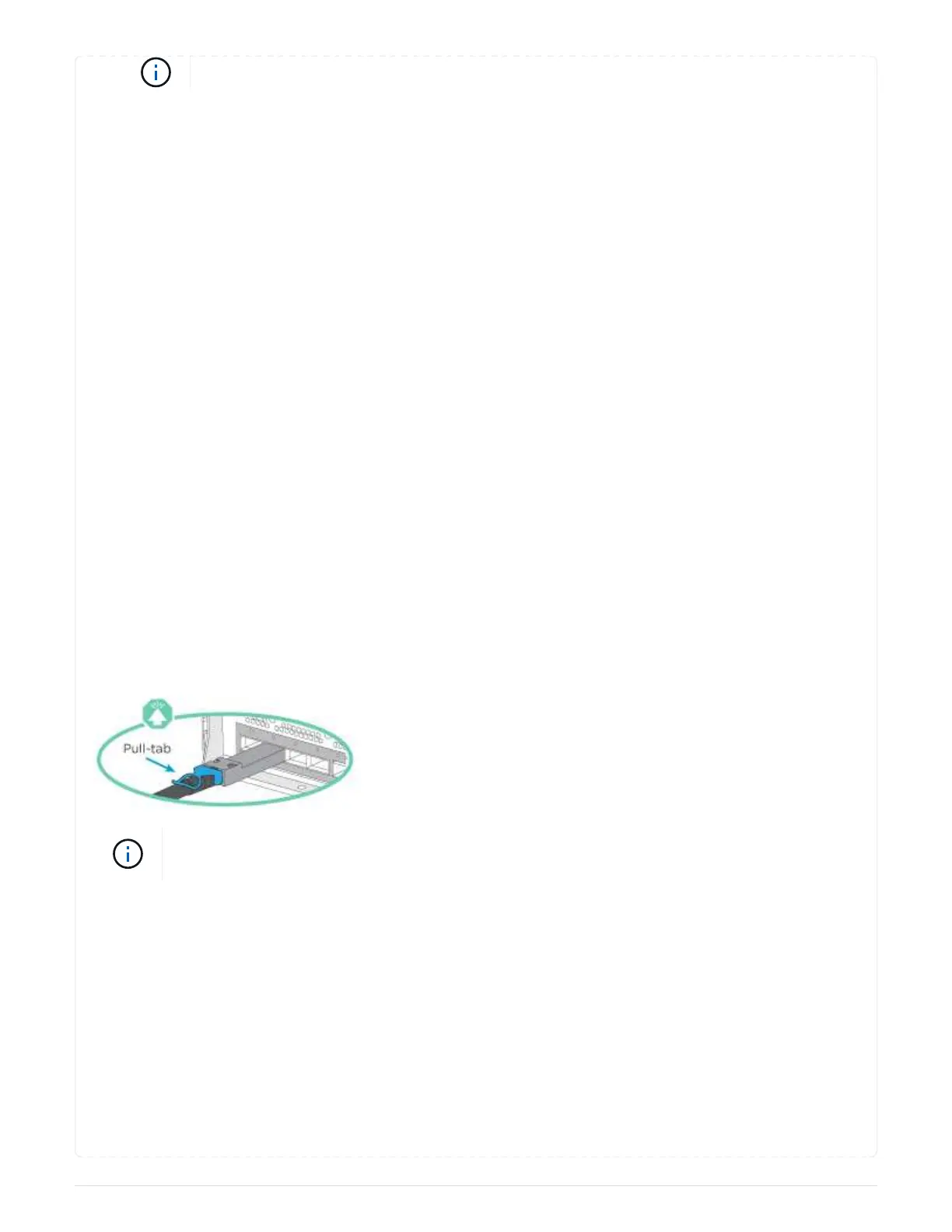
Be sure to check the illustration arrow for the proper cable connector pull-tab orientation.
As you insert the connector, you should feel it click into place; if you do not feel it click,
remove it, turn it around and try again.
Steps
1. Use the animation or the tabulated steps to complete the cabling between the controllers and the
switches:
Animation - Cable a two-node switchless cluster
212



 To Next Page