Lever
Latching mechanism
5. Using both hands, grasp the controller module sides and gently pull it out of the chassis and set it on
a flat, stable surface.
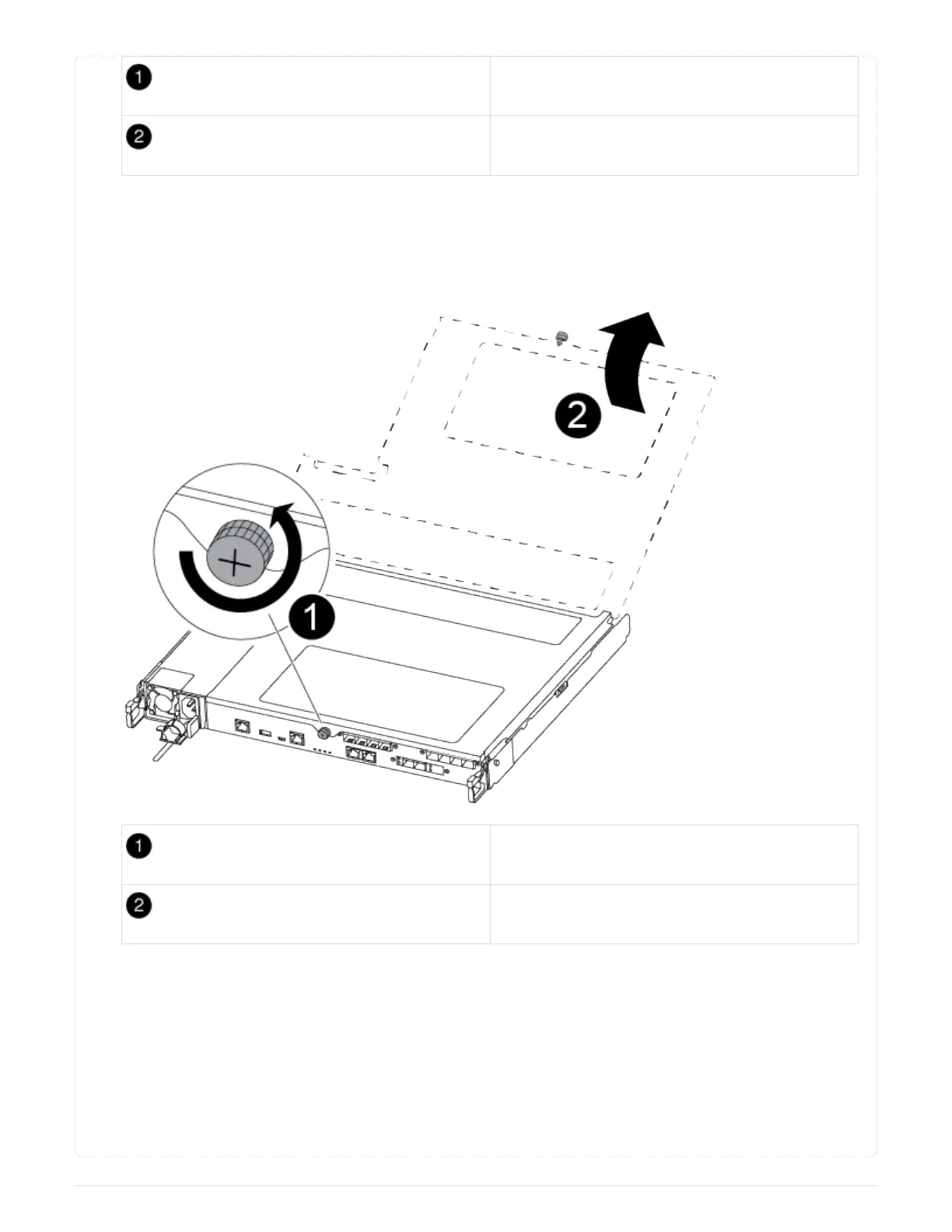
6. Turn the thumbscrew on the front of the controller module anti-clockwise and open the controller
module cover.
Thumbscrew
Controller module cover.
== Step 3: Replace the NVMEM battery
To replace the NVMEM battery, you must remove the failed battery from the controller module and install
the replacement battery into the controller module.
Use the following video or the tabulated steps to replace the NVMEM battery:
Animation - Replace the NVMEM battery
84



 To Next Page