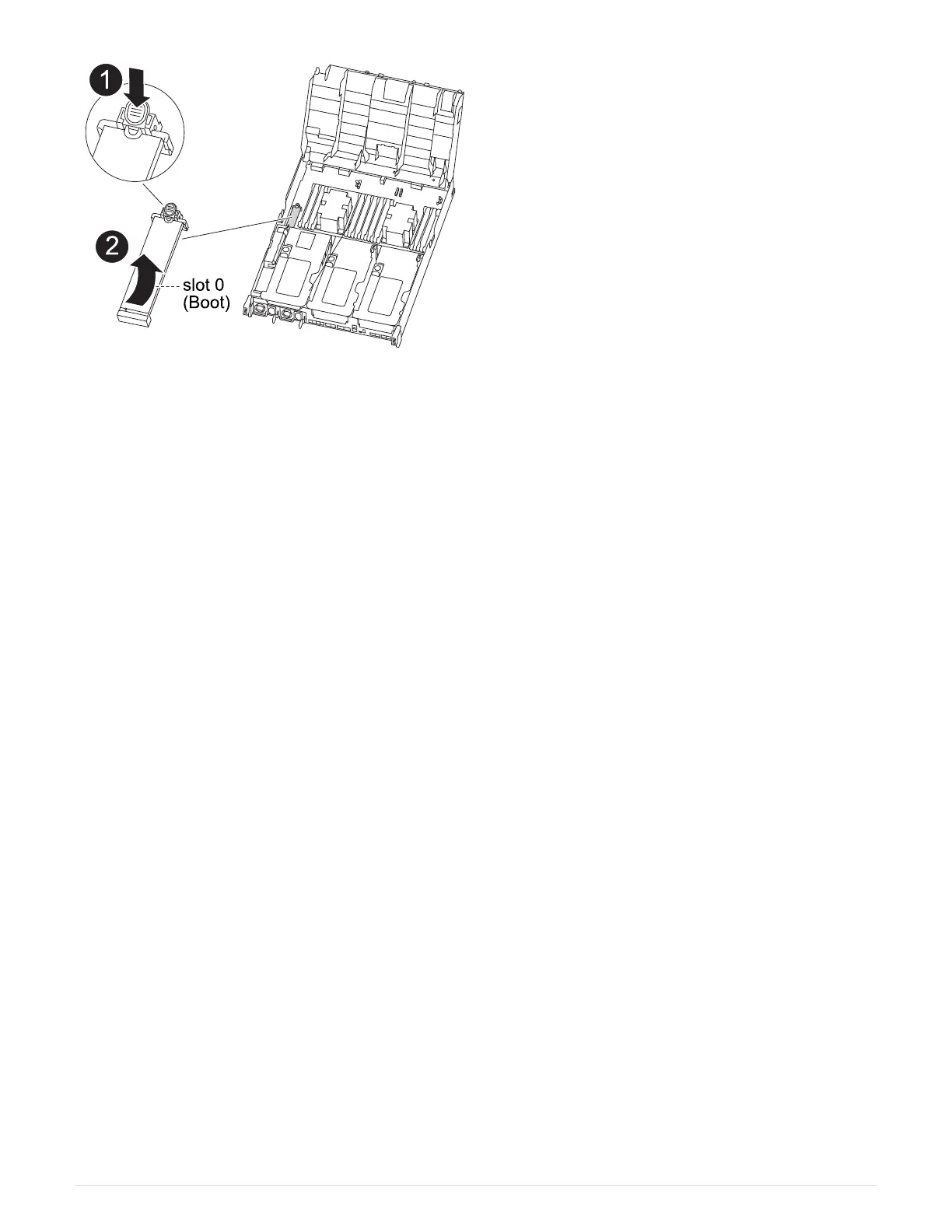
1. Locate and remove the boot media from the controller module:
a. Press the blue button at the end of the boot media until the lip on the boot media clears the blue button.
b. Rotate the boot media up and gently pull the boot media out of the socket.
2. Move the boot media to the new controller module, align the edges of the boot media with the socket
housing, and then gently push it into the socket.
3. Check the boot media to make sure that it is seated squarely and completely in the socket.
If necessary, remove the boot media and reseat it into the socket.
4. Lock the boot media in place:
a. Rotate the boot media down toward the motherboard.
b. Press the blue locking button so that it is in the open position.
c. Placing your fingers at the end of the boot media by the blue button, firmly push down on the boot
media end to engage the blue locking button.
Step 5: Move the PCIe risers and mezzanine card
As part of the controller replacement process, you must move the PCIe risers and mezzanine card from the
impaired controller module to the replacement controller module.
You can use the following animations, illustrations, or the written steps to move the PCIe risers and mezzanine
card from the impaired controller module to the replacement controller module.
Moving PCIe riser 1 and 2 (left and middle risers):
Animation - Move PCI risers 1 and 2
Moving the mezzanine card and riser 3 (right riser):
Animation - Move the mezzanine card and riser 3
48



 To Next Page