If you are installing a card in the bottom slot and cannot see the card socket well, remove
the top card so that you can see the card socket, install the card, and then reinstall the card
you removed from the top slot.
4. Reinstall the riser:
a. Align the riser with the pins to the side of the riser socket, lower the riser down on the pins.
b. Push the riser squarely into the socket on the motherboard.
c. Rotate the latch down flush with the sheet metal on the riser.
Step 4: Replace the mezzanine card
The mezzanine card is located under riser number 3 (slots 4 and 5). You must remove
that riser to access the mezzanine card, replace the mezzanine card, and then reinstall
riser number 3. See the FRU map on the controller module for more information.
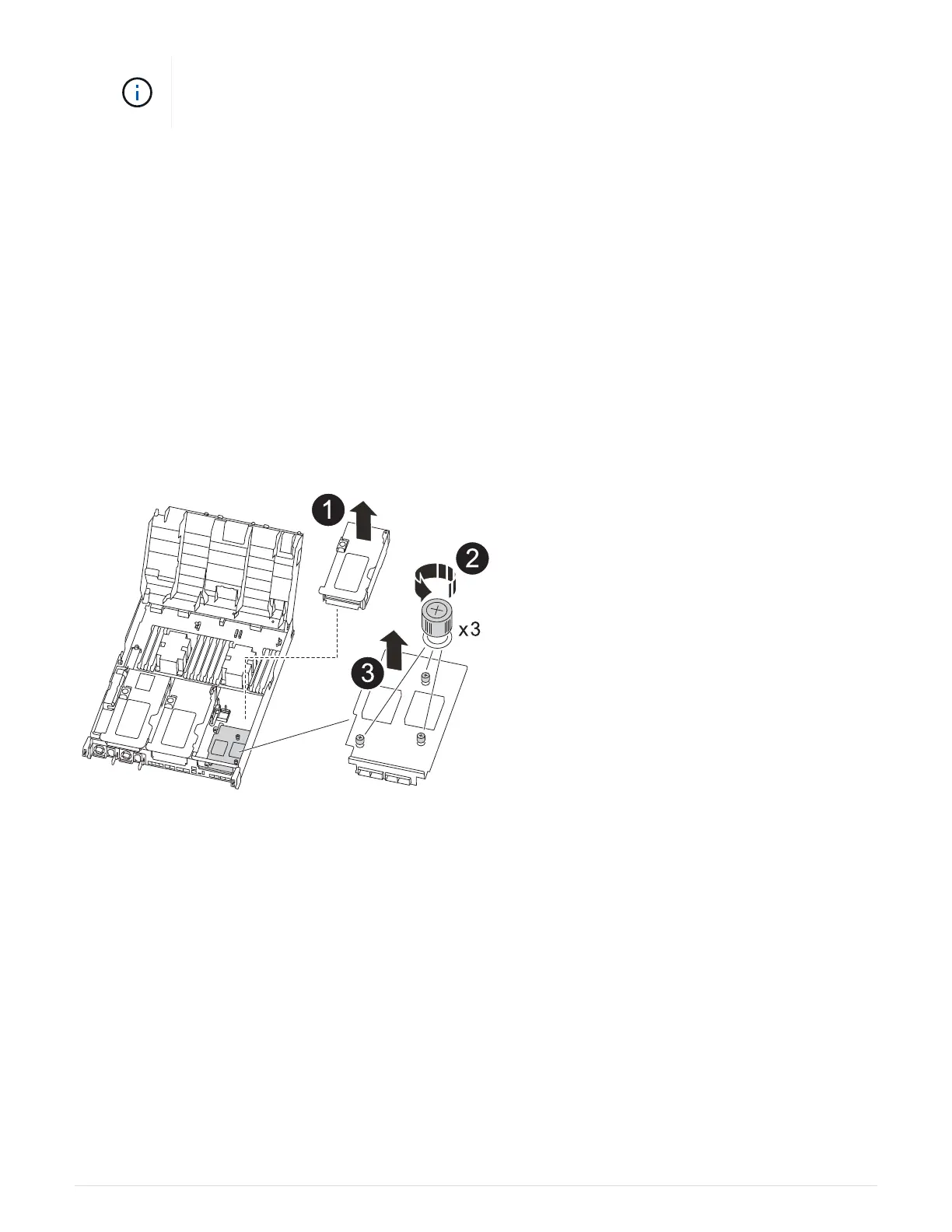
You can use the following animation, illustration, or the written steps to replace the mezzanine card.
Animation - Replace the mezzanine card
1. Remove riser number 3 (slots 4 and 5):
a. Open the air duct by pressing the locking tabs on the sides of the air duct, slide it toward the back of
the controller module, and then rotate it to its completely open position.
b. Remove any SFP or QSFP modules that might be in the PCIe cards.
c. Rotate the riser locking latch on the left side of the riser up and toward air duct.
The riser raises up slightly from the controller module.
d. Lift the riser up, and then set it aside on a stable, flat surface.
2. Replace the mezzanine card:
a. Remove any QSFP or SFP modules from the card.
b. Loosen the thumbscrews on the mezzanine card, and gently lift the card directly out of the socket and
set it aside.
95


 To Next Page
 Loading...




