Lever
Latching mechanism
5. Using both hands, grasp the controller module sides and gently pull it out of the chassis and set it on
a flat, stable surface.
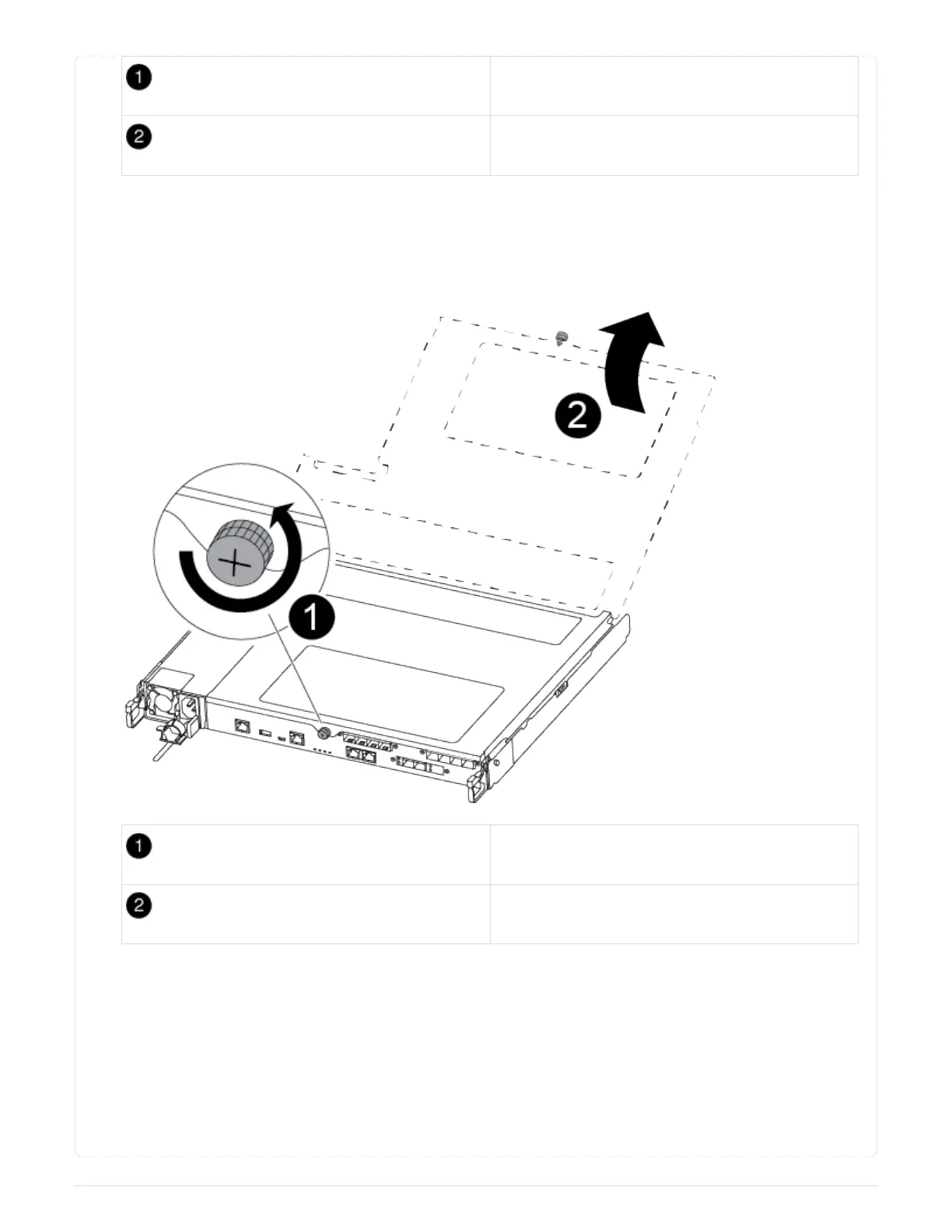
6. Turn the thumbscrew on the front of the controller module anti-clockwise and open the controller
module cover.
Thumbscrew
Controller module cover.
== Step 3: Replace or install a mezzanine card
To replace a mezzanine card, you must remove the impaired card and install the replacement card; to
install a mezzanine card, you must remove the faceplate and install the new card.
Use the following video or the tabulated steps to replace a mezzanine card:
Animation - Replace a mezzanine card
78



 To Next Page