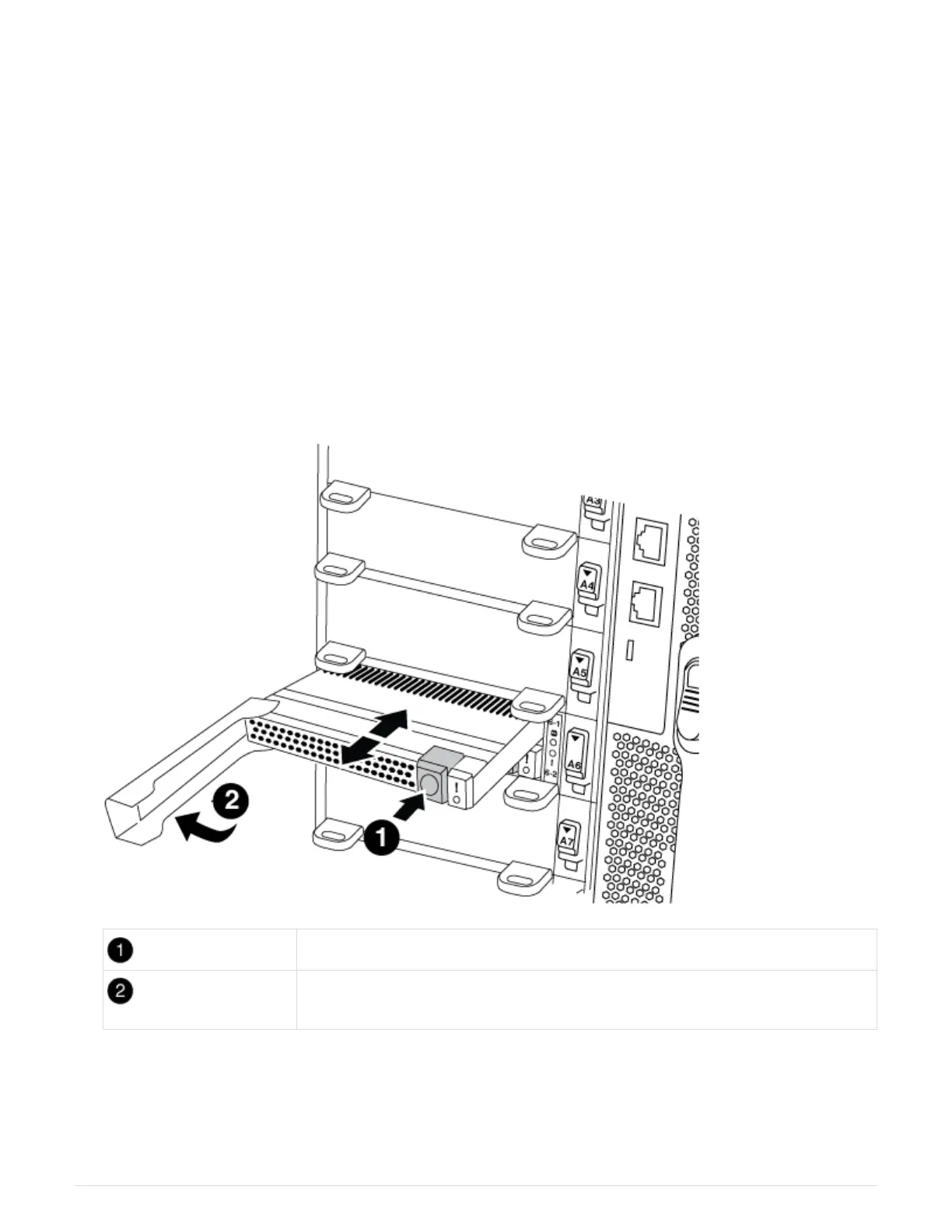
front of the NVRAM module in slot 6-1 in the rear of the system. To replace or add the
core dump module, locate slot 6-1, and then follow the specific sequence of steps to add
or replace it.
Before you begin
• Your system must be running ONTAP 9.8 or later in order to add a core dump module.
• The X9170A core dump module is not hot-swappable.
• The target node must be at the LOADER prompt before adding or replacing the code dump module.
• You must have received two X9170 core dump modules; one for each controller.
• All other components in the storage system must be functioning properly; if not, you must contact technical
support.
Steps
1. If you are not already grounded, properly ground yourself.
2. If you are replacing a failed core dump module, locate and remove it:
Orange release button.
Core dump module cam handle.
a. Locate the failed module by the amber Attention LED on the front of the module.
b. Press the orange release button on the front of the core dump module.
601



 To Next Page