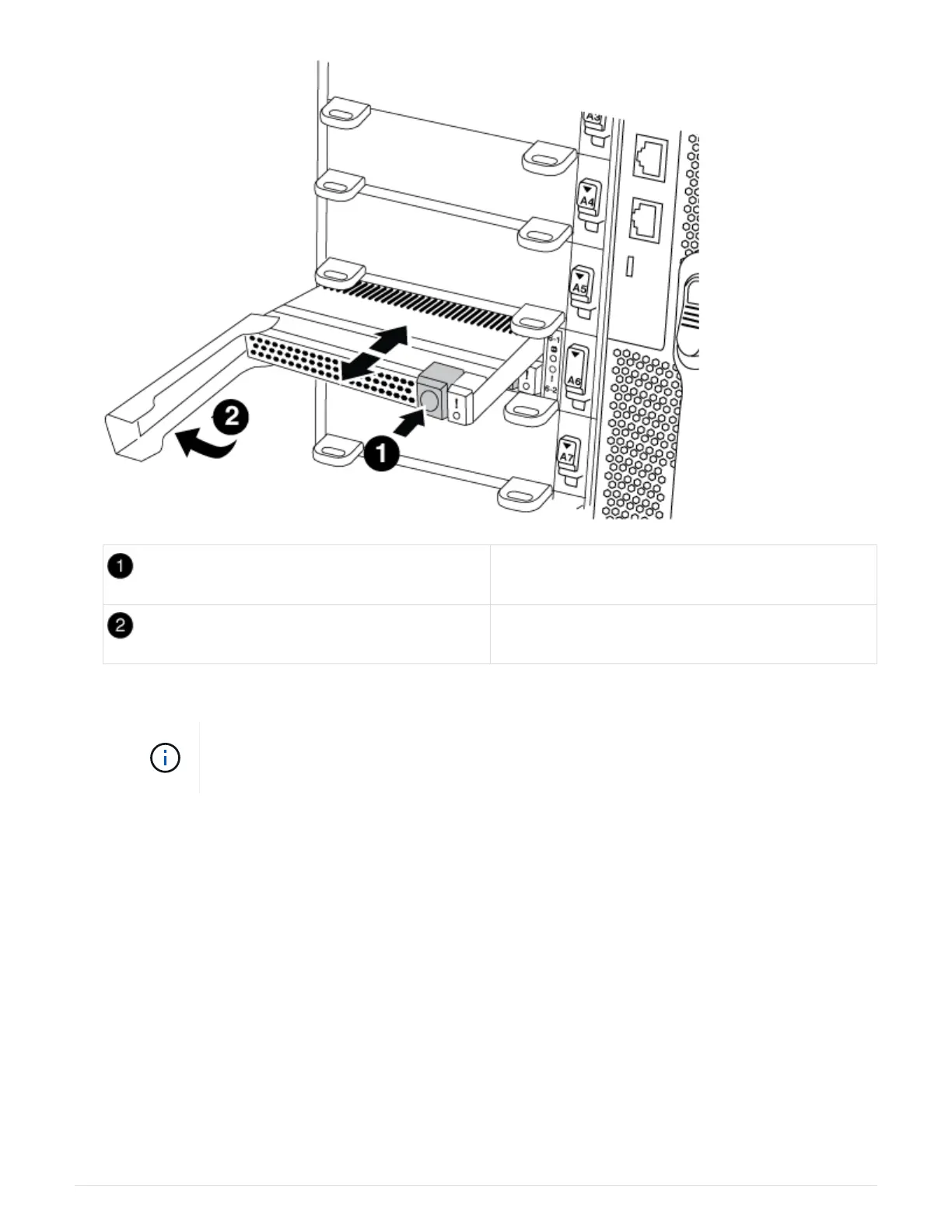
Orange release button.
Caching module cam handle.
a. Press the orange release button on the front of the caching module.
Do not use the numbered and lettered I/O cam latch to eject the caching module. The
numbered and lettered I/O cam latch ejects the entire NVRAM10 module and not the
caching module.
b. Rotate the cam handle until the caching module begins to slide out of the NVRAM10 module.
c. Gently pull the cam handle straight toward you to remove the caching module from the NVRAM10
module.
Be sure to support the caching module as you remove it from the NVRAM10 module.
5. Install the caching module:
a. Align the edges of the caching module with the opening in the NVRAM10 module.
b. Gently push the caching module into the bay until the cam handle engages.
c. Rotate the cam handle until it locks into place.
6.
Bring the replacement caching module online by using the
system controller slot module
insert
command as follows:
The following command prepares slot 6-2 on node1 for power-on, and displays a message that it is
606



 To Next Page