Chapter 2
Layer 2
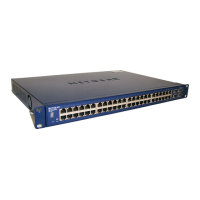
Layer 2 configuration of the switch uses MAC addresses of the attached network devices. This layer
enables the 24 ports on the switch to be grouped into virtual logical area networks (VLANs). Such
VLANs can a connected together using functions of the switch enabling data to move between these
VLANs.
In using VLANs it is important to remember what they are. A VLAN is a Virtual LAN. A LAN is at
OSI Layer 2, meaning it is a physical link. The broadcast and multicast network packets generated by
devices contained on the LAN when trying to establish a communication path between devices remain
on the LAN. This means a device and only communicate with another device on the LAN on which it is
located. The Virtual LAN (VLAN) also has those properties. For a device to communicate across a LAN
or VLAN, a network link, or OSI Layer 3 connection is required.
In the following, two networks are used. The behaviour of two networks was taken as being able to be
generalized to many networks implemeneted on a switch.
2.1 All devices on the default VLAN
The five device tabulated in Table 1.2 form a single physical LAN. Those devices have two network
addresses 192.168.14.0 and 192.168.8.0. A LAN as shown in Figure 2.1 was formed by using the
ports on the switch. The two networks formed by the two network addresses co-existed on the switch.



 To Next Page
 Loading...