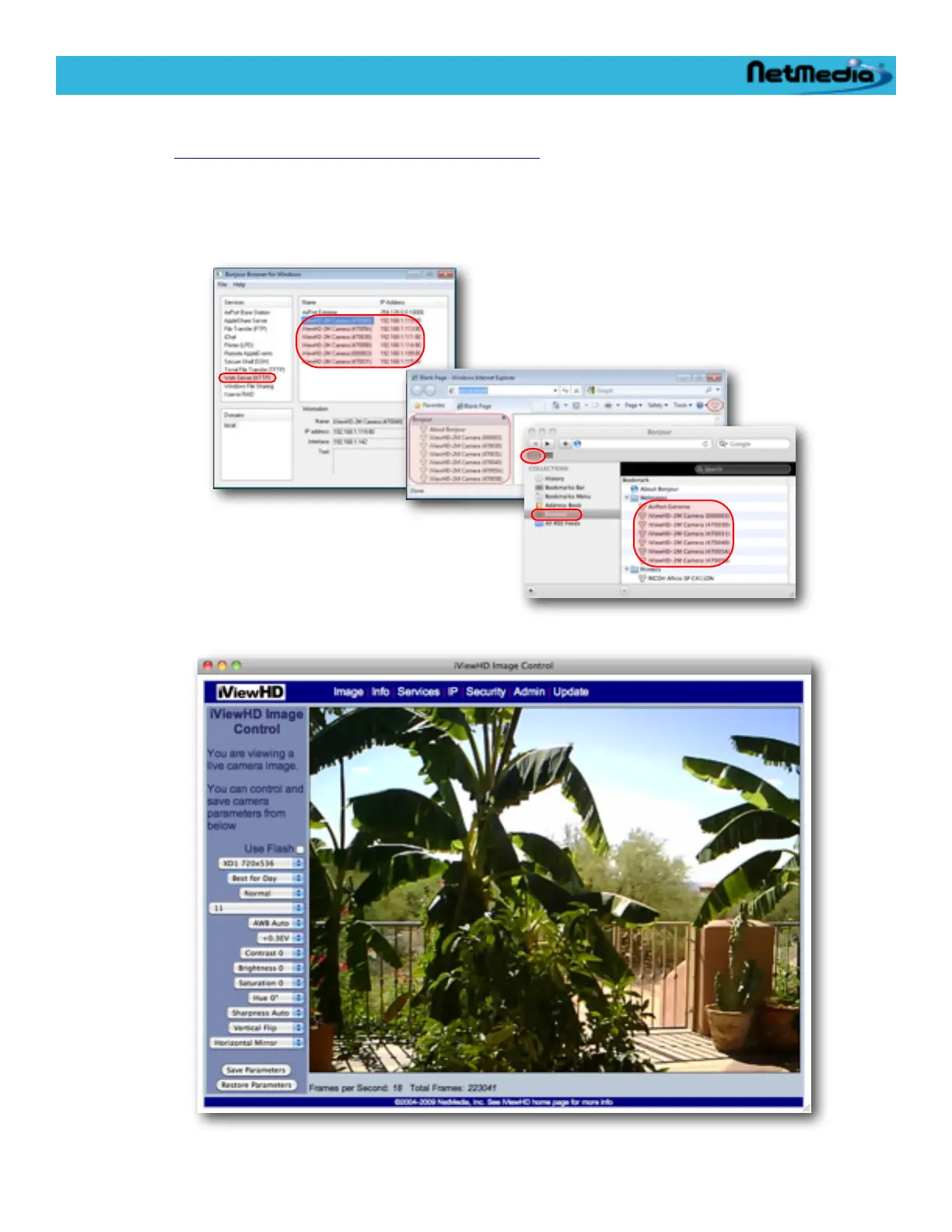
4. Run a web browser on the computer which has Bonjour support enabled. Or for Windows
download and install the Standalone Bonjour Browser for Windows
http://netmedia.com/iviewhd/downloads.html
On the the Mac run the Safari browser which has Bonjour already built in. See appendix A (Al-
ternate Ways to Locate an iViewHD Camera on the Network) which provides several op-
tions for locating an iViewHD camera.
5. Locate the camera using Bonjour. And double click on the camera name:
You can make adjustments to the default camera image on the main web page:
iViewHD Userʼs Manual
© 2009 NetMedia, Inc. 11


 To Next Page