Step 2: Favorites & Personalization
Your home entertainment control interface can be customized based on the personal preferences you
choose. It only takes a few easy steps to ensure that using your system will be simple and enjoyable for
everyone in your home.
Step 1: Activities
Select an activity.
Step 2: Favorites & Personalization
Select your favorite channels.
Step 3: RF Control
Do you want to use RF control?
Step 1: Activities
Select your Activities from the list below:
Watch TV
Watch PVR
Watch Movie
Play Music
Play Games
Listen to Radio
Listen to CD
Other: __________________
Other: __________________
Three easy steps
to personalize
your NevoC3
1 2 3
o o o E!
o o o ENCORE
o o o ESPN
o o o ESPN2
o o o ESPNC
o o o ESPNEWS
o o o FLIX
o o o FMC
o o o FOOD
o o o FOX
o o o FOXNEWS
o o o FX
o o o GOLF
o o o GSN
o o o HALLMRK
o o o HBO
o o o HBO2
o o o HGTV
o o o HIST
o o o HSN
o o o LIFE
o o o MSNBC
1 2 3
o o o MTV
o o o MTV2
o o o NBC
o o o NFL
o o o NGC
o o o NICK
o o o NOGGIN
o o o OXYGEN
o o o PBS
o o o PRIME
o o o QVC
o o o SCI FI
o o o SCIENCE
o o o SHO
o o o SHO2
o o o SOAP
o o o SPEED
o o o SPIKE
o o o STARZ
o o o SUND
o o o TBN
o o o TBS
1 2 3
o o o TCM
o o o TENNIS
o o o TLC
o o o TMC
o o o TNT
o o o TOONDIS
o o o TRAVEL
o o o TVG
o o o TVLAND
o o o TWC
o o o UNI
o o o USA
o o o VH1
o o o VS.
o o o WB
o o o WE
o o o WGN
o o o ______________
o o o ______________
o o o ______________
o o o ______________
o o o ______________
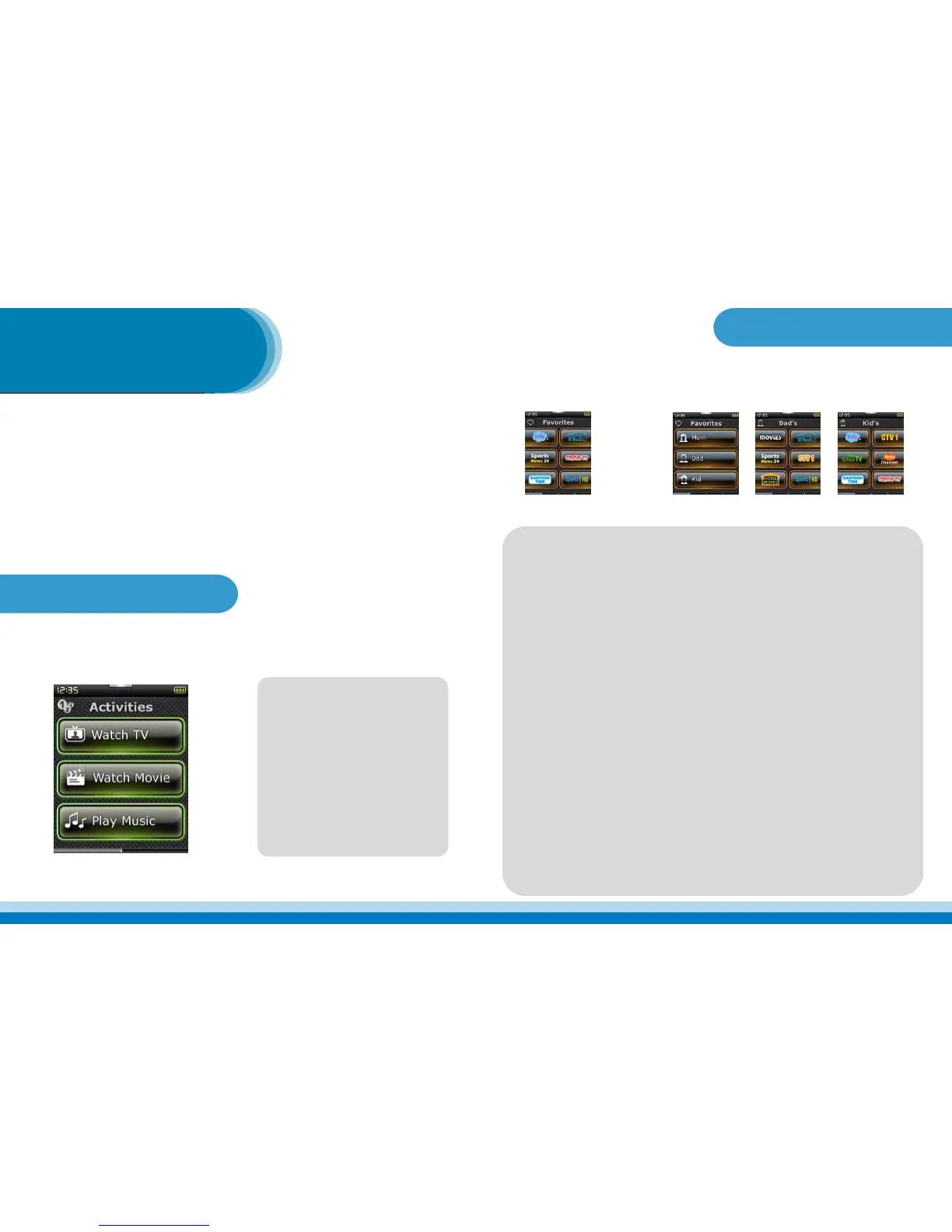
A favorite button is simply a button dedicated to selecting your favorite channels. It can display your choice
of the channel logo or simple text. When you press the favorite button, it will send out the necessary infor-
mation to change your tuner to that selected channel with a single button press. In addition, you can even
group the favorite channels for each member of your family. This is called a prole. For instance,
each member of your family can have their own favorites page as shown here for mom, dad, and kids.
g
To help us congure your Favorites properly, please provide the following information:
Cable / Satellite Provider: __________________________________________________
Address, Zip Code: _______________________________________________________
Cable / Satellite Box Manufacturer & Model Number: ___________________________
Group 1____________________ Group 2___________________ Group 3_______________________
Please indicate what channels you would like in your favorites list. If you want to group them into proles,
indicate which channel should go in each group.
1 2 3
o o o A&E
o o o ABC
o o o AMC
o o o ANIMALP
o o o BBC
o o o BET
o o o BIO
o o o BRAVO
o o o CARTOON
o o o CBS
o o o CINEMAX
o o o CMT
o o o CNBC
o o o CNN
o o o CNN HLN
o o o COMEDY
o o o CSPAN
o o o CSPAN2
o o o DHLTH
o o o DISNEY
o o o DIY
o o o DSC
An activity button sets up your entertainment system for a given activity with a single button press. For
instance, a “Watch Movie” activity button may turn on your TV, audio receiver, DVD player, and select the
proper inputs. It then jumps to a page where volume keys control the audio receiver and transport keys
control the DVD player, all in a single button press.



 To Previous Page
 Loading...