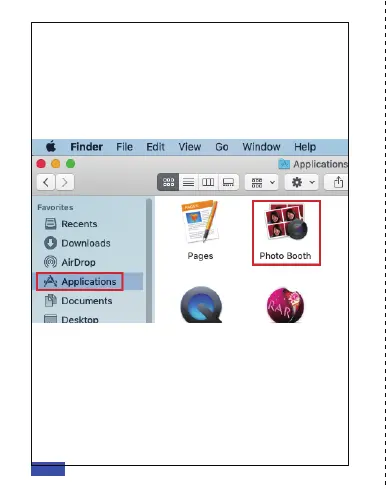
Mac users can use the Photo Booth app, which is
pre-installed with the OS. This will allow you to preview
the camera images, capture still frames, and record
video clips. To begin, select the Finder button, click
Applications, and select Photo Booth.
Alternately, click the Search button in your menu bar,
type "photo booth" (without the quotation marks), and
press return. To see an image from your camera in Photo
Booth, you may need to select the camera from the list
of attached devices in the app. At the top of your screen,
click Camera in the app menu, and select the Full HD
Webcam from the list of options.
B. VIEW YOUR CAMERA: Mac
EN 07



 To Next Page