EasyManua.ls Logo

Nexigo N680 - Viewing Camera Feed on Mac

Nexigo N680
68 pages
Print Icon
To Next Page IconTo Next Page
To Previous Page IconTo Previous Page
Loading...
7
EN
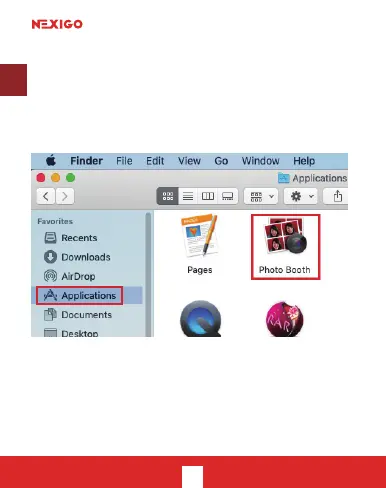
3b. View your camera: Mac
Mac users can use the Photo Booth app, which is
pre-installed with the OS. This will allow you to preview

video clips. To begin, select the Finder
, and select Photo Booth.
Alternately, click the Search

press return. To see an image from your camera in
Photo Booth, you may need to select the camera from


Related product manuals