15
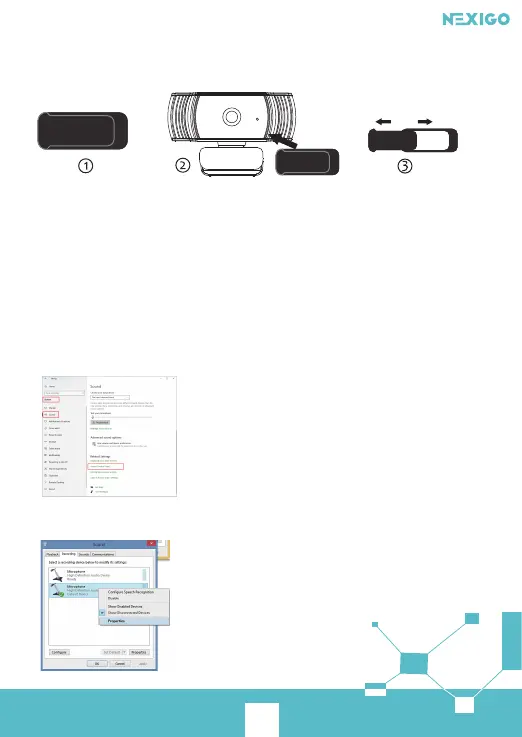
1. Remove 3m tape on the back of the privacy cover.
2. Attach the cover to the webcam lens and press firmly.
3. Open/close the cover when use/not use.
ON OFF
Q14: Why the microphone volume is too low?
A: Make sure that the NexiGo webcam is connected correctly to your computer.
Make sure that the NexiGo webcam is positioned correctly.
For Windows 10:
Step 1. Go to Settings> System> Sound.
Step 2. In Input, ensure your microphone is selected under Choose your input device,
then select Device Properties.



 To Next Page