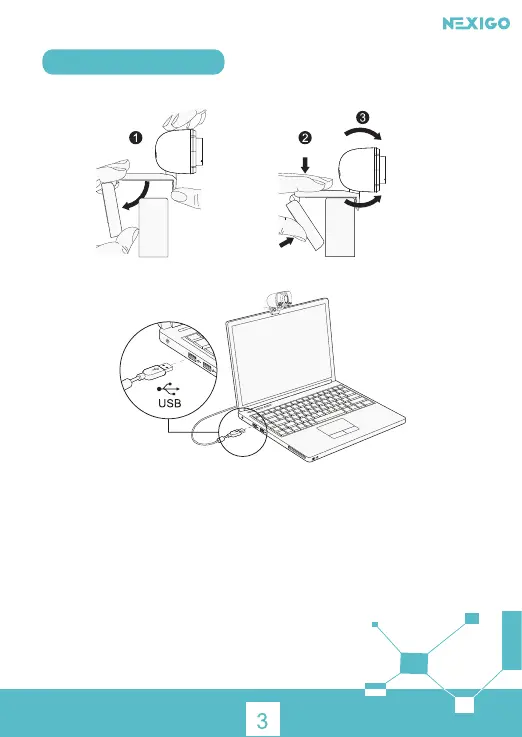
1. Place/Position your webcam
2. Connect the webcam to your computer using the USB cable
Note: Make sure you are connected to your network before starting the setup.
Note: If you can not use the camera within other apps, you will need to enable access.
• In Windows: Select Settings>Privacy>Camera, turn on allow apps to access your camera.
• On Mac: Select Apple menu>System Preferences>Security & Privacy>Privacy>Camera,
and select which apps you want to use the camera.
If you still have trouble connecting the Webcam, please refer to FAQ sections
starting from Page
5.
Setting Up Your Webcam
3a. View your camera: Windows
Windows users can use the Camera app, which is pre-installed with the OS. To get to the
Camera program type camera in the search bar at the bottom of the screen and press
enter.



 To Next Page