On Mac: Go to System Preferences > Sound. Select NexiGo webcam as the default device
for sound input and output.
In your video/audio calling application, check the audio settings and make sure that the
NexiGo webcam is selected for both the speaker and microphone. Then, check the video
settings and verify that NexiGo webcam is selected for the camera.
Q5: What can I do if the image shows abnormal color? How to adjust my image parameter,
such as brightness or contrast?
A: Please ensure that the light in your environment is free of unique tones or intense light,
such as walls/floors/other large-area non-standard light environments, including areas
with green/blue/intense light. In such environments photographed pictures are subjected
to color cast due to the lighting impact.
For Windows:
Skype:
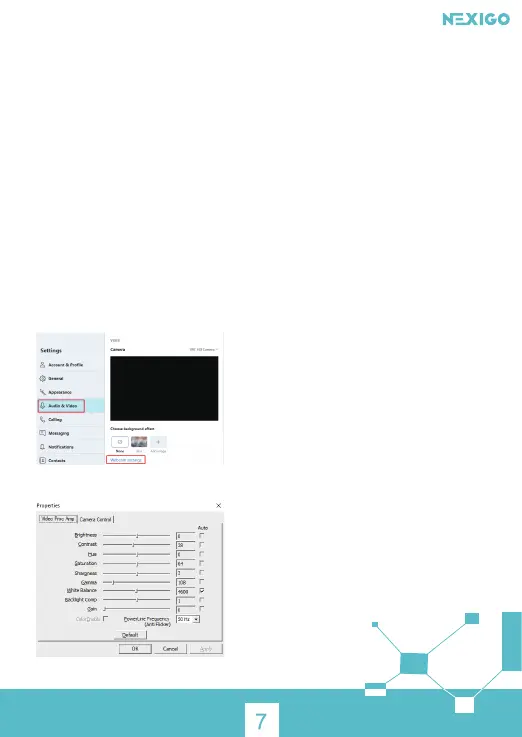
Click Settings, select Audio & Video, then click Webcam settings.
You can adjust any image parameter you want according to your needs.



 To Next Page