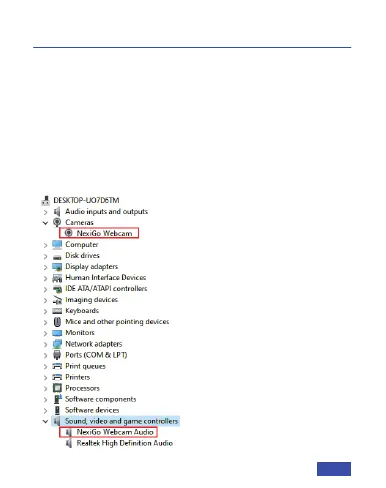
Q1: How do I know if my camera is being recognized
by the system?
A: Connect the camera to any USB 2.0 or USB 3.0 port.
It will take a few seconds for the camera to be
recognized after it is connected to the system. To
ensure the camera has been installed correctly on a
Windows computer; check under Control Panel>
System and Security>Device Manager.
FAQ
EN 12



 To Next Page