INSTRUCTIONS
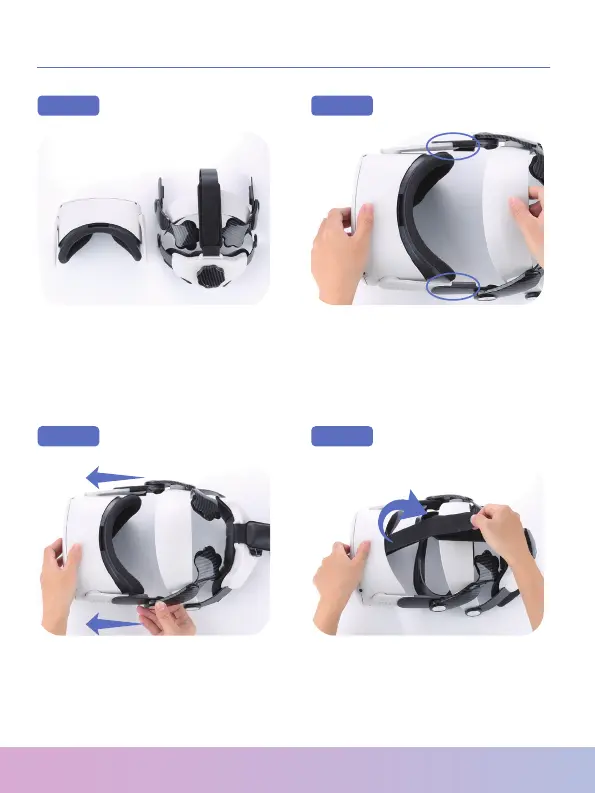
Remove the original Quest 2
strap and take the S30 out of
the package.
Step 1 Step 2
Step 3 Step 4
Align and connect the left
and right contacts of S30 and
Quest 2.
Fasten the left and right
contacts to fully connect them
to the headset.
Remove the face shield and
pass the head strap through
the slot at the front of the
headset.
Thank You for Choosing NexiGo!


 To Next Page